


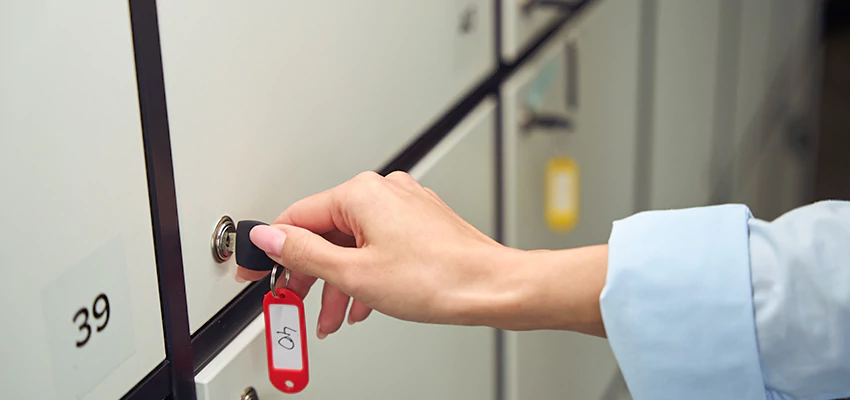
Protecting sensitive documents and valuables stored in file cabinets is a priority for both offices and homes. While most cabinets come with basic locks, these are often easy to bypass. Learning how to secure file cabinet lock better can help you prevent unauthorized access, deter theft, and maintain privacy. This guide covers practical steps and proven methods to strengthen your cabinet’s security, from simple upgrades to advanced solutions.
Whether you’re dealing with a traditional key lock, a keypad, or a smart locking mechanism, there are straightforward ways to make your storage more resilient. We’ll also highlight common vulnerabilities, offer actionable advice, and point you to further resources for specific lock types. For those seeking a deeper dive into repairs and troubleshooting, check out our detailed article on desk file cabinet lock repair for targeted solutions.
Why Basic File Cabinet Locks Are Not Enough
Most standard file cabinets are equipped with wafer tumbler locks or simple cam locks. While these provide a basic level of deterrence, they are often vulnerable to picking, bumping, or even being forced open with common tools. In many cases, a determined intruder can bypass these locks in seconds. Understanding these weaknesses is the first step toward meaningful improvement.
- Wafer tumbler locks are commonly used but can be picked with basic tools.
- Many cabinets share universal key codes, making it easy for duplicate keys to exist.
- Thin metal construction can allow prying or drilling attacks.
Recognizing these risks highlights the importance of taking extra steps to improve file cabinet lock security beyond the factory default.
Simple Upgrades for Better File Cabinet Lock Security
There are several straightforward ways to enhance the protection of your cabinet. These upgrades can be performed with minimal tools and do not require advanced locksmith skills.
- Replace the Standard Lock: Upgrade to a higher-security cam lock, tubular lock, or disc detainer lock. These are more resistant to picking and manipulation.
- Add a Locking Bar: Install a steel locking bar that covers all drawers and is secured with a padlock. This adds a robust physical barrier.
- Install a Secondary Lock: Consider adding a hasp and padlock or a combination lock for an extra layer of security.
- Upgrade to Electronic or Smart Locks: Electronic keypad or Bluetooth-enabled locks offer advanced access control and audit trails.
For step-by-step instructions on installing new locks, refer to this comprehensive guide to filing cabinet lock installation.

Physical Hardening: Making Cabinets Tougher to Break Into
Beyond upgrading the lock itself, reinforcing the cabinet’s structure can make forced entry much more difficult. Here are some practical methods:
- Reinforce Drawer Rails and Frames: Strengthen weak points with steel brackets or plates to resist prying.
- Anchor Cabinets to Walls or Floors: Secure the entire cabinet to a fixed surface to prevent it from being moved or tipped for leverage.
- Use Security Screws: Replace standard screws with tamper-resistant versions on lock hardware and hinges.
These measures help ensure that even if someone attempts to bypass the lock, the cabinet itself will withstand more aggressive attacks.

Advanced Tips: Electronic, Keypad, and Smart Lock Solutions
Modern file cabinets increasingly use electronic, keypad, or smart locking systems. These offer convenience and enhanced security, but they also come with unique challenges. To secure file cabinet locks better in these systems, consider the following:
- Change Default Codes: Always set a unique PIN or password. Avoid using factory defaults or simple combinations.
- Update Firmware: For smart locks, keep firmware up to date to patch vulnerabilities.
- Monitor Battery Levels: Electronic locks can fail if batteries die. Set reminders to replace them regularly.
- Enable Audit Logs: Use locks with access logs to track who opened the cabinet and when.
If you encounter issues with advanced locking systems, our articles on keypad file cabinet lock repair and smart file cabinet lock repair provide troubleshooting tips and repair advice.
Best Practices for Everyday File Cabinet Security
Even the strongest lock is only as effective as your daily habits. Here are some essential practices to keep your cabinet secure:
- Always Lock When Not in Use: Make it a routine to lock the cabinet, even for short absences.
- Limit Key or Code Access: Only trusted individuals should have keys or codes. Keep a log of who has access.
- Store Keys Securely: Avoid leaving keys in obvious places like desk drawers or under keyboards.
- Conduct Regular Inspections: Check for signs of tampering, wear, or malfunction. Address issues promptly.
For cabinets with electronic or battery-powered locks, refer to our guide on battery powered file cabinet lock fix for advice on maintaining reliable access.
When to Call a Professional Locksmith
While many security upgrades can be handled DIY, some situations call for expert help. Consider professional assistance if:
- You need to install high-security or custom locks.
- The lock is damaged, jammed, or you’ve lost all keys.
- You require master key systems or access control integration.
Professional locksmiths can assess your specific needs and recommend solutions tailored to your environment. For urgent issues or complex installations, don’t hesitate to reach out to a trusted local expert.
Frequently Asked Questions
How can I tell if my file cabinet lock is secure enough?
Assess the type of lock (wafer, cam, tubular, electronic), check for signs of wear or tampering, and consider how easily it could be bypassed with basic tools. If your lock is a standard model or shares a key with other cabinets, upgrading is recommended.
What is the best way to add extra security to an existing cabinet?
Adding a locking bar secured with a padlock is one of the most effective ways to enhance protection. Upgrading to a higher-security lock or installing a secondary locking mechanism also provides significant benefits.
Are smart locks for file cabinets safe?
Smart locks offer advanced features like audit logs and remote access, but their security depends on strong passwords, regular firmware updates, and proper battery maintenance. Choose reputable brands and follow best practices for digital security.
What should I do if my electronic lock stops working?
First, check the battery and replace it if needed. If the issue persists, consult the manufacturer’s instructions or seek help from a locksmith experienced with electronic and smart locks. For more information, visit our article on file cabinet lock sensor issues.