


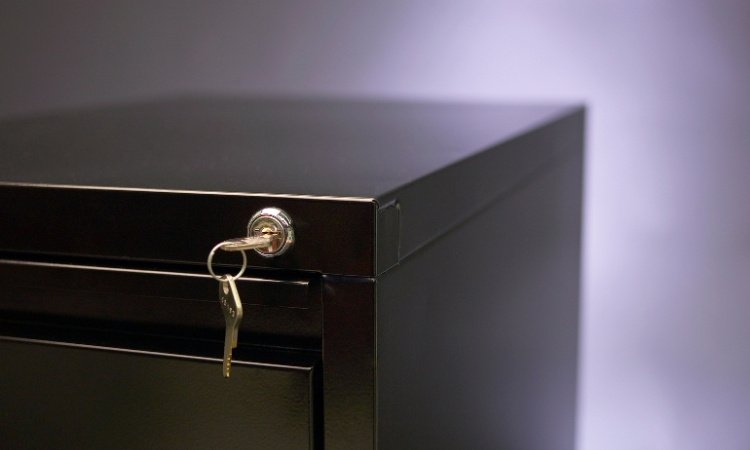
Maintaining the security of file cabinets is essential for protecting sensitive documents in offices, schools, and even home environments. Over time, even the best locking mechanisms can develop faults, become outdated, or fail due to wear and tear. When this happens, prompt file cabinet security system repair is critical to prevent unauthorized access and ensure compliance with data protection standards.
Modern storage solutions often use integrated locking systems, combining mechanical and electronic components for enhanced protection. Understanding how these systems work, common issues that arise, and the best repair strategies can save time, money, and prevent data breaches. This article covers practical repair methods, troubleshooting tips, and guidance on when to call a professional locksmith.
If you’re interested in taking additional steps to reinforce your storage, consider reading about how to secure file cabinet lock better for simple hardening tips that complement repair work.
Understanding Integrated Locking Mechanisms
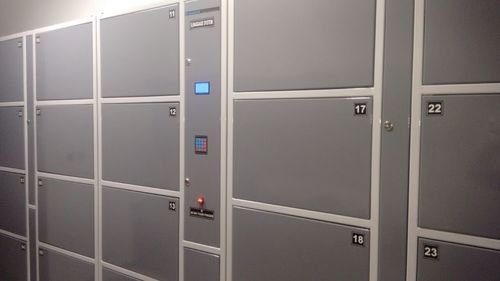
Integrated locking solutions in file cabinets have evolved from simple key locks to sophisticated systems that may include electronic keypads, RFID readers, and smart locks. These systems are designed to offer both convenience and robust protection, but their complexity can also introduce new points of failure.
- Mechanical locks: Traditional cam locks, plunger locks, and tubular locks are still widely used for their reliability and ease of repair.
- Electronic locks: Keypad or card-based systems provide keyless entry and audit trails but may suffer from power or circuit issues.
- Smart locks: Bluetooth or app-controlled solutions offer remote management, but require regular updates and battery maintenance.
When a locking system fails, the first step is identifying the type of mechanism and understanding its components. This knowledge is essential for effective troubleshooting and repair.
Common Problems Requiring File Cabinet Security System Repair
Several issues can compromise the integrity of a cabinet’s locking system. Recognizing these problems early helps prevent unauthorized access and further damage.
- Key won’t turn or is stuck: This may be due to worn tumblers, debris inside the lock, or a misaligned cam.
- Electronic keypad unresponsive: Battery failure, worn buttons, or internal circuit faults are common causes. For more on this, see our guide on keypad file cabinet lock repair.
- Smart lock connectivity issues: Bluetooth or app-controlled locks may lose connection, require firmware updates, or have battery issues. Troubleshooting tips are available in our smart file cabinet lock repair article.
- Broken or missing keys: Lost keys or snapped key blades can render a cabinet inaccessible, often requiring lock replacement or professional picking.
- Jammed locking bars: Integrated systems often use vertical bars that can become bent or obstructed, preventing proper locking.
Step-by-Step Guide to Repairing File Cabinet Security Systems
Addressing issues with integrated locking mechanisms involves a systematic approach. Here’s a practical guide to restoring cabinet security:
- Diagnose the problem: Check if the issue is mechanical (key, cam, bar) or electronic (keypad, battery, circuit). Listen for clicks, check for resistance, and inspect for visible damage.
- Gather necessary tools: For most repairs, you’ll need a screwdriver set, lubricant, replacement batteries, and possibly a new lock cylinder or keypad.
- Disassemble the lock: Remove the cabinet drawer or door as needed. Unscrew the lock housing and carefully extract the locking mechanism.
- Clean and inspect components: Remove dust, debris, and old lubricant. Check for worn or broken parts, especially in older cabinets.
- Replace or repair faulty parts: Swap out damaged cams, tumblers, or electronic modules. For battery-powered locks, always use fresh, high-quality batteries. For more on power-related issues, visit our battery powered file cabinet lock fix resource.
- Reassemble and test: Put the lock back together, ensuring all screws are tight and components aligned. Test the lock several times before returning the cabinet to service.
When to Call a Professional Locksmith
While many minor repairs can be handled with basic tools and patience, some situations require expert intervention. If you encounter any of the following, it’s best to contact a licensed locksmith:
- Lock is severely damaged or jammed and cannot be removed without force
- Electronic or smart lock malfunctions that persist after battery replacement and resets
- Lost master keys for high-security or restricted keyway locks
- Cabinet contains sensitive or regulated documents and you need to preserve chain of custody
A professional can also upgrade your locking system to a more secure or convenient solution, such as installing a new electronic keypad or integrating access control with your building’s security infrastructure.
Preventive Maintenance for File Cabinet Security Systems
Regular maintenance is the best way to avoid unexpected failures and costly repairs. Here are some practical tips for keeping your cabinet locks in optimal condition:
- Lubricate mechanical locks every six months with a graphite-based product
- Replace batteries in electronic and smart locks annually, or as soon as you notice reduced performance
- Inspect locking bars and cams for signs of wear or misalignment
- Keep spare keys in a secure, separate location
- Update firmware on smart locks and check for security patches
For more advanced troubleshooting, such as dealing with unresponsive buttons or app connectivity, see our detailed guides on keypad file cabinet lock repair and smart file cabinet lock repair.
Security Considerations and Upgrades
As threats evolve, so do the methods used to bypass or break into file cabinets. It’s important to stay informed about the latest vulnerabilities and solutions. For example, some older lock designs can be picked or bypassed with simple tools. If you’re concerned about the security of your current system, you can learn more about potential weaknesses and how to address them in this detailed guide on filing cabinet lock vulnerabilities.
Consider upgrading to integrated systems that combine mechanical and electronic security, or adding audit trails to monitor access. Newer solutions often provide better resistance to tampering and forced entry, making them a worthwhile investment for organizations that handle confidential records.
Frequently Asked Questions
How can I tell if my file cabinet lock needs repair or replacement?
If you notice difficulty turning the key, inconsistent locking, or unresponsive electronic components, it’s time to inspect the mechanism. Minor issues like dirt or lubrication can often be fixed, but broken parts or persistent faults usually require replacement.
Can I upgrade my existing cabinet to a smart or electronic lock?
Yes, many modern locking solutions are designed to retrofit onto standard cabinets. Upgrading to a keypad, RFID, or Bluetooth-enabled lock can enhance security and convenience. Consult a locksmith to ensure compatibility and proper installation.
What should I do if I lose the key to a high-security cabinet?
For high-security or restricted keyway locks, it’s best to contact a professional locksmith. Attempting to force the lock can damage the cabinet and compromise security. A locksmith can open the cabinet without damage and provide a new key or replace the lock as needed.
How often should I maintain my file cabinet locking system?
Routine maintenance every six to twelve months is recommended. This includes lubricating mechanical parts, replacing batteries, and checking for signs of wear or tampering.
Is it possible to repair a file cabinet lock myself?
Many minor repairs, such as cleaning, lubricating, or replacing batteries, can be done with basic tools. However, for complex issues or high-security systems, professional assistance is recommended to avoid accidental damage and ensure proper function.


