


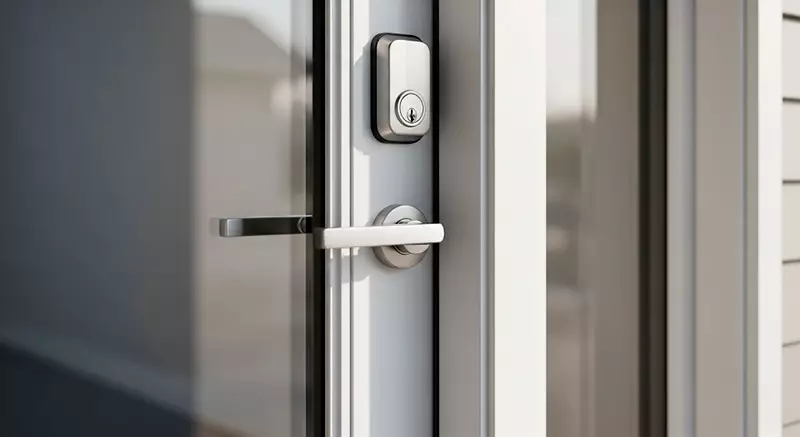
The shift from traditional locks to smart deadbolts has brought convenience, enhanced security, and remote access to the forefront of home protection. However, one of the most common concerns for homeowners considering this upgrade is how long the batteries in these devices actually last. Understanding the battery life of smart deadbolts is crucial for ensuring your home remains secure without unexpected lockouts or frequent maintenance.
Battery performance can vary widely depending on the model, usage habits, and environmental factors. In this guide, you’ll discover what influences battery longevity, how to maximize it, and what to expect from different brands and technologies. If you’re also interested in the broader advantages of upgrading, you might want to explore electronic deadbolt benefits for a comprehensive look at why these locks are gaining popularity.
Factors That Affect How Long Smart Deadbolt Batteries Last
The battery life of smart deadbolts is influenced by several key elements. While manufacturers often advertise a lifespan of six months to two years, real-world results depend on:
- Frequency of Use: The more often you lock and unlock your door, the faster the batteries will drain. High-traffic households will notice shorter intervals between battery changes.
- Lock Mechanism and Motor Strength: Some deadbolts require more torque to operate, especially if the door is misaligned or sticky. This extra effort draws more power.
- Wireless Connectivity: Features like Wi-Fi, Bluetooth, or Z-Wave allow remote access and integration with smart home systems, but they also consume more energy than basic models.
- Battery Type: Most smart locks use AA or AAA alkaline batteries, but some support lithium or rechargeable options, which can impact longevity.
- Temperature and Environment: Extreme cold or heat can reduce battery efficiency. Outdoor locks exposed to the elements may require more frequent replacements.
Understanding these factors can help you estimate how often you’ll need to replace batteries and plan accordingly.
Typical Battery Lifespan for Popular Smart Deadbolt Brands
Different brands and models offer varying battery performance. Here’s a general overview of what you can expect from some of the most widely used smart deadbolts:
- August Smart Locks: Typically last 3 to 6 months on four AA batteries, depending on usage and connectivity settings.
- Schlage Encode: Offers up to 6 months of battery life with standard use and Wi-Fi enabled.
- Yale Assure: Can last 6 to 12 months, especially when using Z-Wave or Bluetooth instead of Wi-Fi.
- Kwikset Halo: Generally provides 4 to 6 months of operation on four AA batteries.
These estimates assume average daily use (about 10–15 lock/unlock cycles per day) and moderate wireless activity. For more detailed comparisons and reviews, resources like CNET’s roundup of top smart locks can help you evaluate which model fits your needs best.

How to Maximize the Battery Life of Your Smart Lock
Getting the most out of your smart deadbolt’s batteries involves a combination of proper installation, maintenance, and usage habits. Here are some practical tips to extend the time between battery changes:
- Use High-Quality Batteries: Opt for reputable brands and consider lithium batteries if your lock supports them. They tend to last longer and perform better in extreme temperatures.
- Check Door Alignment: Ensure your door and deadbolt are properly aligned. If the lock struggles to engage, it will use more power each time.
- Limit Wireless Features: If you don’t need constant remote access, disable Wi-Fi or reduce the frequency of status updates in the lock’s app.
- Update Firmware: Manufacturers often release updates that improve battery efficiency. Keep your lock’s software current.
- Monitor Battery Levels: Most smart locks send low-battery alerts to your phone or email. Don’t ignore these warnings—replace batteries promptly to avoid lockouts.
Consistent maintenance and mindful use can significantly improve the battery life of smart deadbolts in your home.
Signs Your Smart Deadbolt Needs New Batteries
Most modern smart locks are designed to warn you well before the batteries are completely drained. Common indicators include:
- Flashing LED Lights: Many models use a red or orange light to signal low battery.
- Beeping or Audible Alerts: Some locks emit a series of beeps when battery power is running low.
- App Notifications: If your lock is connected to a smart home system, you’ll likely receive a push notification or email alert.
- Sluggish Performance: If the motor seems slower or struggles to turn the bolt, it’s time to check the batteries.
Replacing batteries at the first sign of any of these warnings is the best way to avoid being locked out or losing remote access.
Comparing Battery Life: Smart Deadbolts vs. Traditional Electronic Locks
While both smart and traditional electronic locks rely on batteries, smart deadbolts often use more power due to advanced features like wireless connectivity and integration with home automation systems. However, the convenience and added security often outweigh the need for more frequent battery changes. If you’re curious about common misconceptions around these devices, the article on deadbolt lock myths explained provides helpful insights.
What Happens If the Batteries Die?
One of the biggest concerns for users is what to do if the batteries run out completely. Most smart deadbolts are designed with backup options:
- Physical Key Override: Many models include a traditional key slot for manual entry.
- External Battery Contacts: Some locks, like those from Yale, offer terminals where you can temporarily power the lock with a 9V battery.
- App Warnings: As mentioned, most devices provide ample warning before batteries are fully depleted.
Planning ahead and keeping spare batteries on hand can prevent inconvenient lockouts.
Frequently Asked Questions
How often should I expect to change the batteries in my smart deadbolt?
Most users will need to replace batteries every 6 to 12 months, depending on usage, the type of batteries, and whether features like Wi-Fi are enabled. High-traffic doors or locks with constant wireless connectivity may require more frequent changes.
Can I use rechargeable batteries in my smart deadbolt?
Some smart deadbolts support rechargeable batteries, but it’s important to check the manufacturer’s recommendations. Rechargeables may have lower voltage than standard alkalines, which can affect performance and battery life. Always use the type specified in your lock’s manual.
What should I do if my smart lock stops working due to dead batteries?
If your lock has a physical key override, use your key to gain entry. For models with external battery contacts, you can temporarily power the lock with a 9V battery to unlock it. Always replace the batteries as soon as possible to restore full functionality.
Conclusion
Understanding the battery life of smart deadbolts is essential for maintaining both convenience and security. By choosing the right lock, following best practices for battery care, and staying alert to warning signs, you can minimize disruptions and keep your home protected. For more tips on installation and maximizing security, consider reading about deadbolt installation mistakes to avoid or learn about best door reinforcement for deadbolts to further enhance your home’s defenses.


