


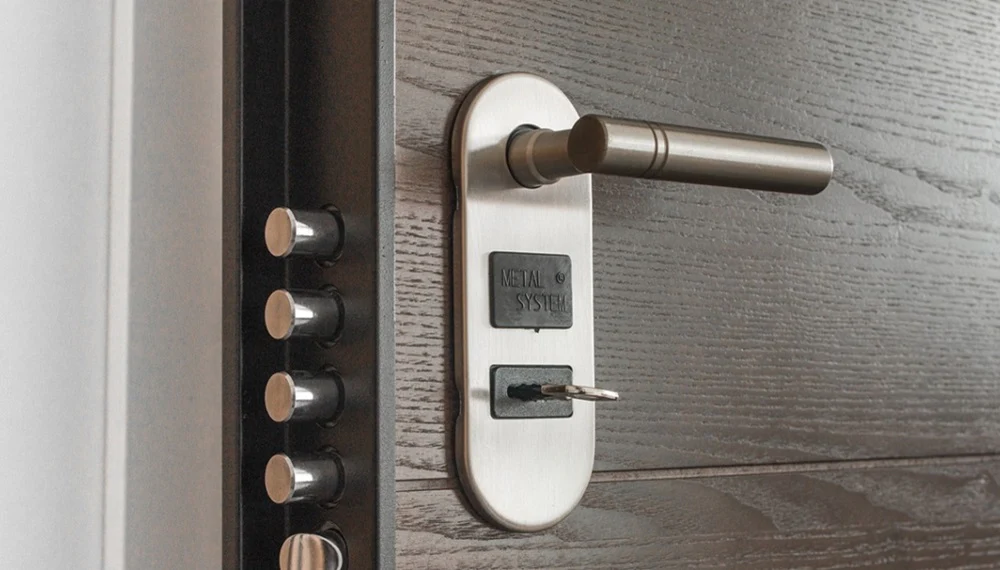
Smart home technology has transformed the way we secure our homes, and WiFi-enabled deadbolt locks are at the forefront of this movement. These devices promise greater convenience, remote access, and enhanced control over entry points. But before you make the switch, it’s important to weigh the wifi deadbolt lock pros and cons to determine if this upgrade fits your needs and expectations.
Understanding the real-world benefits and limitations of WiFi deadbolts can help you make an informed decision. We’ll explore the key advantages, potential drawbacks, and practical considerations for homeowners looking to boost their door security with smart technology. For a deeper dive into the benefits of electronic locks, you might also find this article on electronic deadbolt benefits helpful as you compare your options.
Key Advantages of WiFi-Enabled Deadbolts
WiFi-connected deadbolt locks offer a range of benefits that make them appealing to tech-savvy homeowners and anyone seeking more control over home access. Here are some of the most significant advantages:
- Remote Access and Control: With a WiFi deadbolt, you can lock or unlock your door from anywhere using a smartphone app. This is especially useful if you need to let in guests, service providers, or family members while you’re away.
- Real-Time Alerts and Monitoring: Many models send notifications when someone enters or exits, or if the door is left unlocked. This feature keeps you informed about your home’s security status at all times.
- Integration with Smart Home Systems: These locks often work seamlessly with other smart devices, such as security cameras, alarms, and voice assistants like Alexa or Google Assistant. This integration can streamline your home security setup.
- Keyless Entry Options: Most WiFi deadbolts allow for PIN codes, mobile credentials, or even biometric access, reducing the need for physical keys and minimizing the risk of lockouts.
- Temporary and Custom Access: You can create and manage temporary codes for guests, cleaners, or Airbnb renters, and revoke access instantly when needed.
Potential Drawbacks and Limitations
While the benefits are compelling, it’s important to be aware of the challenges and possible downsides associated with WiFi-enabled deadbolts. Here are some of the most common concerns:
- Dependence on Power and Internet: If your WiFi goes down or there’s a power outage, remote features may be unavailable. Some locks offer backup options, but it’s a factor to consider.
- Cybersecurity Risks: Any device connected to the internet can be vulnerable to hacking. It’s crucial to choose a reputable brand, keep firmware updated, and use strong passwords to reduce risk.
- Battery Life: Most smart deadbolts are battery-powered. While they typically last several months, you’ll need to monitor battery levels and replace them as needed to avoid being locked out.
- Installation Complexity: Some models are easy to install, but others may require professional help, especially if your door or frame needs modification.
- Cost: WiFi-enabled deadbolts are generally more expensive than traditional locks, both in upfront cost and potential ongoing expenses for batteries or cloud services.
For more on common misconceptions about deadbolts and their security, see deadbolt lock myths explained.
Comparing WiFi Deadbolts to Traditional Locks
When considering an upgrade, it’s helpful to compare smart deadbolts with standard mechanical locks. Traditional deadbolts are valued for their simplicity, reliability, and lack of digital vulnerabilities. However, they lack the convenience and features that WiFi-enabled models provide.
| Feature | WiFi Deadbolts | Traditional Deadbolts |
|---|---|---|
| Remote Access | Yes | No |
| Smart Home Integration | Yes | No |
| Power Source | Batteries/Electricity | Manual |
| Cybersecurity Risk | Possible | None |
| Physical Security | Varies by model | Varies by model |
| Cost | Higher | Lower |
Ultimately, the choice depends on your priorities: convenience and features versus simplicity and minimal maintenance.

How WiFi Deadbolts Impact Home Security
One of the main reasons homeowners consider smart locks is the promise of improved security. WiFi-enabled deadbolts can enhance protection by allowing you to monitor access, receive alerts, and control your lock remotely. However, these benefits are only realized if the lock is installed correctly and used as intended.
Improper installation can undermine even the most advanced lock. For tips on avoiding common errors, check out this guide on deadbolt installation mistakes to avoid. Additionally, pairing your smart lock with reinforced doors and frames can further increase your home’s resistance to break-ins. For more strategies, see best door reinforcement for deadbolts.
It’s also wise to stay informed about how criminals attempt to bypass weak locks. For more on this topic, review how burglars bypass weak locks and how to prevent it.
Are WiFi Deadbolts Worth the Investment?
Deciding whether a WiFi-enabled deadbolt is right for you depends on your lifestyle, security needs, and comfort with technology. If you value remote access, real-time notifications, and the ability to manage access for multiple users, the investment may be justified. On the other hand, if you prefer a simple, maintenance-free solution and are concerned about potential cybersecurity risks, a traditional lock might be more suitable.
It’s also important to consider the broader context of your home security. Smart locks are most effective when combined with other measures such as reinforced doors, security cameras, and alarm systems. According to research on how locks increase home security, layered protection is the best way to deter intruders and keep your property safe.
FAQ: Common Questions About WiFi Deadbolt Locks
Do WiFi deadbolts work if the power or internet goes out?
Most WiFi-enabled deadbolts are battery-powered, so they will continue to function for local locking and unlocking even during a power outage. However, remote features and app connectivity may be unavailable if your home’s internet is down. Many models offer backup key access or Bluetooth connectivity as a fallback.
Are smart deadbolts as secure as traditional locks?
Security depends on the quality of both the lock’s physical construction and its digital safeguards. High-quality WiFi deadbolts can be just as secure as traditional models, but it’s important to choose a reputable brand, keep software updated, and use strong passwords to minimize risks.
Can I install a WiFi deadbolt myself?
Many smart deadbolts are designed for DIY installation and come with detailed instructions. However, if your door or frame is non-standard, or if you’re not comfortable with tools, professional installation may be a better choice to ensure optimal performance and security.
How often do I need to replace the batteries?
Battery life varies by model and usage, but most WiFi deadbolts last between six months and a year on a set of batteries. Most locks will alert you when battery levels are low, so you can replace them before they run out completely.
Conclusion
Weighing the wifi deadbolt lock pros and cons is essential before upgrading your home’s entry security. These smart devices offer significant convenience, flexibility, and integration with modern home systems, but they also come with considerations like cost, cybersecurity, and maintenance. By understanding both the benefits and the limitations, you can choose the solution that best fits your household’s needs and security goals.


