


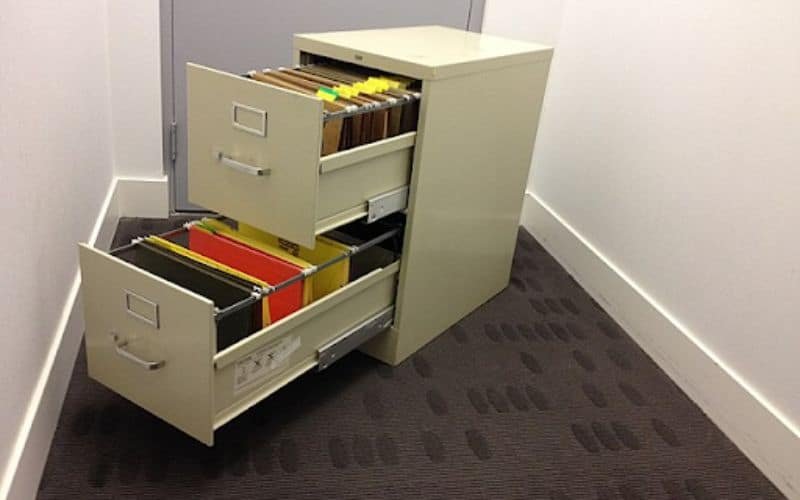
File cabinets are essential for organizing documents, but a faulty or outdated lock can quickly become a hassle. Whether you’ve lost the key, need to replace a damaged lock, or want to upgrade your cabinet’s security, learning how to remove file cabinet lock mechanisms yourself can save time and money. This guide explains the process step by step, highlights the tools you’ll need, and covers important safety tips to help you succeed.
Before you begin, it’s important to understand the type of lock your cabinet uses. Most file cabinets feature cam locks, which are relatively straightforward to remove with the right approach. If you run into issues like a jammed lock or a stuck key, you might find it helpful to consult resources such as fix jammed file cabinet lock for troubleshooting tips before proceeding with removal.
Understanding File Cabinet Lock Types
Before attempting removal, identify the lock style on your cabinet. The most common types include:
- Cam locks: Used on most metal and wood cabinets, these have a rotating metal bar (the cam) that secures the drawers.
- Plunger locks: Often found on lateral cabinets, these use a push-button mechanism.
- Push locks: These lock when pushed in and require a key to release.
Knowing your lock type will help you select the right tools and removal method. If you’re unsure, check the manufacturer’s documentation or look for identifying marks on the lock body.
Tools and Preparation for Lock Removal
Gather the following tools before you start:
- Flathead screwdriver
- Phillips screwdriver
- Needle-nose pliers
- Replacement lock (if installing a new one)
- Lubricant (optional, for stuck locks)
Clear the area around the cabinet and empty the affected drawer to prevent damage to documents or injury during the process. If you’re dealing with a stuck key, review file cabinet key stuck in lock for safe extraction tips before proceeding.
Step-by-Step Instructions: Removing a File Cabinet Lock
Follow these steps to remove a standard cam lock from your file cabinet:
-
Open the Drawer (If Possible)
If the lock is not engaged, open the drawer fully. If it’s locked and you don’t have the key, you may need to pick the lock or call a locksmith. -
Locate the Lock Mechanism
Look inside the drawer at the rear of the lock. You’ll see a metal bar (the cam) attached to the lock body. -
Remove the Retaining Clip or Nut
Use needle-nose pliers or a screwdriver to remove the retaining clip or unscrew the nut holding the lock in place. Set these parts aside if you plan to reuse them. -
Extract the Lock Cylinder
Once the retaining hardware is removed, gently pull the lock cylinder out from the front of the cabinet. -
Inspect and Clean the Area
Before installing a new lock, clean the opening and check for any damage or debris.
If you encounter resistance or the lock won’t budge, apply a small amount of lubricant and try again. For more advanced troubleshooting, see file cabinet lock troubleshooting for expert advice.
Tips for Safe and Effective File Cabinet Lock Removal
Removing a lock is usually straightforward, but keep these safety and efficiency tips in mind:
- Wear gloves to protect your hands from sharp edges inside the cabinet.
- Keep track of small parts like retaining clips and screws.
- If you’re replacing the lock, bring the old lock to the hardware store to ensure you purchase a compatible replacement.
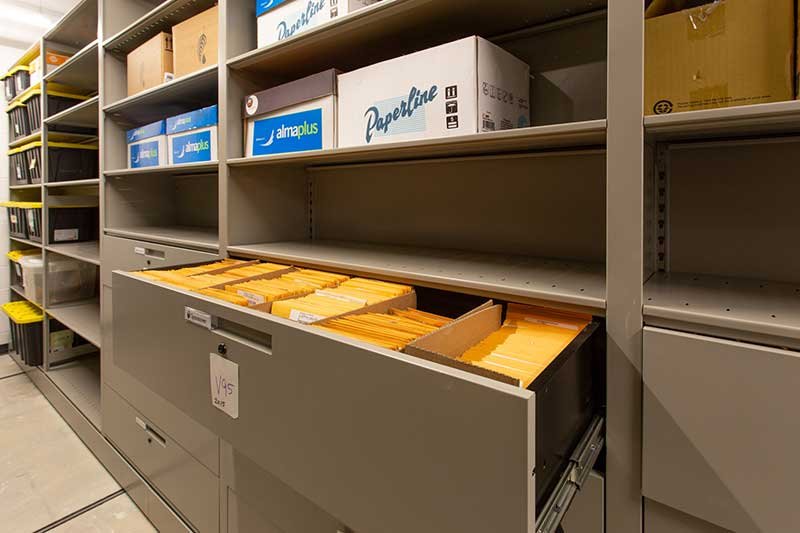
- For lateral or specialty cabinets, consult the manufacturer’s instructions or look up model-specific guides.
For a detailed comparison of repair versus replacement, see file cabinet lock replacement vs repair to help you decide the best course of action for your situation.
When to Call a Professional Locksmith
While most DIYers can handle basic lock removal, there are situations where professional help is recommended:
- The lock is severely jammed or damaged.
- You’re unable to open the drawer and need non-destructive entry.
- The cabinet contains sensitive or valuable documents.
- You’re dealing with a high-security or specialty lock.
In these cases, a locksmith can ensure the job is done safely and without damaging your cabinet. For emergency assistance, use the contact information provided in the CTA above.
Installing a New Lock After Removal
Once the old lock is out, installing a new one is usually a matter of reversing the removal steps. Insert the new lock cylinder through the front opening, secure it with the retaining clip or nut, and test the mechanism before loading the drawer with documents. For a step-by-step replacement guide, check out these easy steps to filing cabinet lock replacement.
Always test the new lock several times to ensure smooth operation. If you encounter issues, review how to open stuck file cabinet lock for troubleshooting tips.
Maintenance and Security Tips for File Cabinet Locks
To keep your cabinet secure and functioning smoothly:
- Lubricate the lock mechanism annually with graphite or silicone spray.
- Keep a spare key in a secure location.
- Check for signs of wear or tampering.
- Upgrade to a higher-security lock if storing sensitive information.
Regular maintenance can extend the life of your lock and prevent future issues.
Frequently Asked Questions
Can I remove a file cabinet lock without a key?
Yes, it’s possible to remove a lock without the key, especially if you can access the back of the lock from inside the drawer. You’ll need to remove the retaining clip or nut with pliers or a screwdriver. If the drawer is locked and you can’t open it, you may need to pick the lock or seek professional help.
What should I do if the lock is jammed or stuck?
If the lock is jammed, try applying a small amount of lubricant and gently work the key or mechanism. For persistent issues, see file cabinet lock troubleshooting or consult a locksmith to avoid damaging the cabinet.
Is it better to repair or replace a file cabinet lock?
This depends on the condition of the lock and your security needs. Minor issues can often be repaired, but if the lock is old, damaged, or you’ve lost the keys, replacement is usually the safer and more reliable option. For a detailed comparison, refer to file cabinet lock replacement vs repair.