


Buying a replacement key fob or an extra remote for your vehicle can be a smart move, but it’s essential to make sure the device will actually work with your car. With so many different types of remotes, chips, and programming requirements, understanding how to check key fob compatibility is crucial to avoid wasted money and frustration. This guide covers the key steps, tools, and resources you need to confidently select the right fob for your vehicle.
Whether you’re replacing a lost remote, adding a backup, or upgrading to a newer style, verifying compatibility saves time and prevents unnecessary trips to the dealership. We’ll walk through the process, highlight common pitfalls, and provide practical tips to help you make an informed decision. If you’re interested in related topics, such as keeping spare remotes secure, you might find our how to store spare key fob at home article helpful as well.
Understanding Different Types of Car Remotes
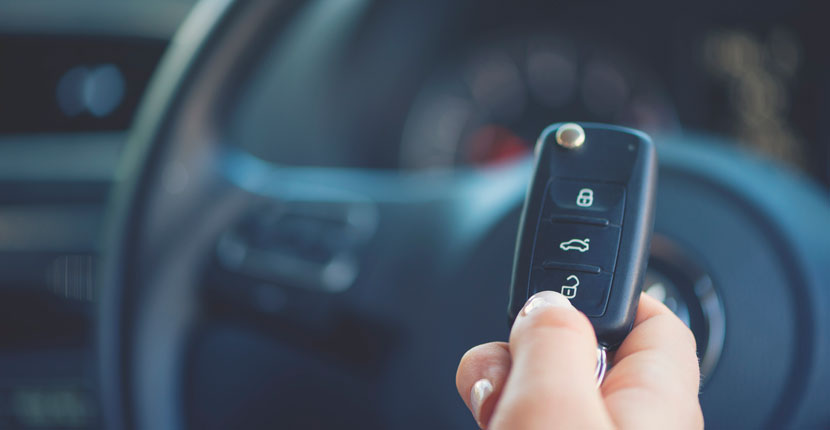
Before diving into compatibility checks, it’s helpful to know the main types of car remotes on the market. Not all key fobs are created equal—some simply unlock doors, while others include advanced features like remote start, trunk release, or proximity sensors. The most common types include:
- Traditional remote key fobs – Used for locking/unlocking doors and sometimes trunk release.
- Transponder keys – Contain a chip that communicates with your car’s immobilizer system for added security.
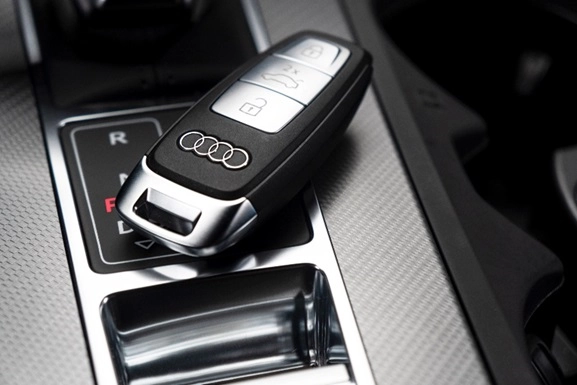
- Smart keys – Allow for keyless entry and push-button start, often called proximity fobs.
- Remote head keys – Combine a traditional key blade with remote buttons in one unit.
For a deeper dive into the distinctions and functions of each type, you can review this comprehensive guide to car key types and their functions.
Why Compatibility Matters
Not every remote will work with every vehicle, even if it looks identical. Checking key fob compatibility ensures that the remote can be programmed to your car’s system and that all features will function as intended. Incompatible fobs may not program at all, or they might only partially work, leaving you without important features like remote start or alarm control.
Manufacturers often change remote frequencies, chip types, and programming protocols between models and years. Even within the same brand, two vehicles from different years may require different fobs. That’s why it’s critical to verify all details before making a purchase.
Steps to Verify Key Fob Compatibility
Follow these steps to make sure your new remote will work with your vehicle:
-
Check Your Vehicle’s Make, Model, and Year
Start by confirming the exact year, make, and model of your car. Even a difference of one year can change the required remote. Write down your VIN (Vehicle Identification Number) as well, since some resources use this for precise matching.
-
Find the FCC ID and Part Number
Most key fobs have an FCC ID and/or a part number printed on the back or inside the battery compartment. These codes are unique identifiers for the remote’s hardware and frequency. Matching these numbers is one of the most reliable ways to ensure compatibility.
-
Compare Button Layout and Features
Make sure the replacement remote has the same number of buttons and functions as your original. If your car has remote start or power liftgate, the new fob must support those features.
-
Consult the Owner’s Manual or Dealer
Your vehicle’s manual often lists compatible remote types and part numbers. If you’re unsure, a quick call to the dealership’s parts department with your VIN can confirm the right model.
-
Use Online Compatibility Tools
Many reputable online retailers offer compatibility checkers where you enter your car’s details and get a list of matching remotes. Always double-check the FCC ID and part number for extra assurance.
Common Mistakes When Choosing a Replacement Remote
Even with careful research, it’s easy to make mistakes when selecting a new key fob. Here are some of the most frequent errors and how to avoid them:
- Assuming all remotes with the same appearance are compatible – Internal electronics and frequencies can differ even if the shell looks identical.
- Overlooking programming requirements – Some remotes require special equipment or dealer-only programming, while others can be paired at home.
- Ignoring vehicle trim or feature differences – Higher trim levels may use different remotes with extra functions.
- Buying from unreliable sources – Counterfeit or generic remotes may not work or could have poor range and reliability.
To avoid these pitfalls, always verify part numbers, check seller reviews, and confirm return policies before purchasing.
Programming and Pairing: What to Expect
Once you’ve confirmed your new remote is compatible, the next step is programming it to your vehicle. The process varies:
- Onboard programming – Some vehicles allow you to program a new fob yourself using a sequence of ignition and button presses. Instructions are often in the owner’s manual.
- Professional programming – Many newer cars require specialized tools or dealer access to pair a new remote. Locksmiths with the right equipment can often provide this service at a lower cost than dealerships.
If you’re interested in maximizing your remote’s range or troubleshooting signal issues, our key fob signal booster resource offers practical tips.
Tips for Buying the Right Remote
To ensure a smooth purchase, keep these tips in mind:
- Always match the FCC ID and part number to your original remote.
- Buy from reputable sellers with clear return policies.
- Double-check that the remote supports all features your vehicle uses.
- Ask for help from a locksmith or dealer if you’re unsure about compatibility.
- Keep your original remote as a backup, even after replacing it.
For those who need to open their remote for battery replacement or inspection, our best tools to open key fob case without damage guide can help you avoid breaking delicate components.
Frequently Asked Questions
Can I program a new key fob myself?
Some vehicles allow owners to program a new remote at home, especially older models. Check your owner’s manual for instructions. For many newer vehicles, professional programming with specialized tools is required.
What information do I need to check compatibility?
You’ll need your car’s make, model, year, and ideally the VIN. The FCC ID and part number from your original remote are also very helpful for matching replacements.
What should I do if my new remote won’t program?
First, double-check that the remote’s FCC ID and part number match your original. If they do and it still won’t program, consult a locksmith or dealership. Sometimes, remotes are defective or require dealer-only programming.
Conclusion
Verifying that a replacement remote will work with your vehicle is essential for a hassle-free experience. By carefully matching part numbers, checking features, and using trusted resources, you can avoid common mistakes and ensure your new device operates as intended. If you ever need expert help or emergency assistance, don’t hesitate to reach out to a professional locksmith for guidance and support.


