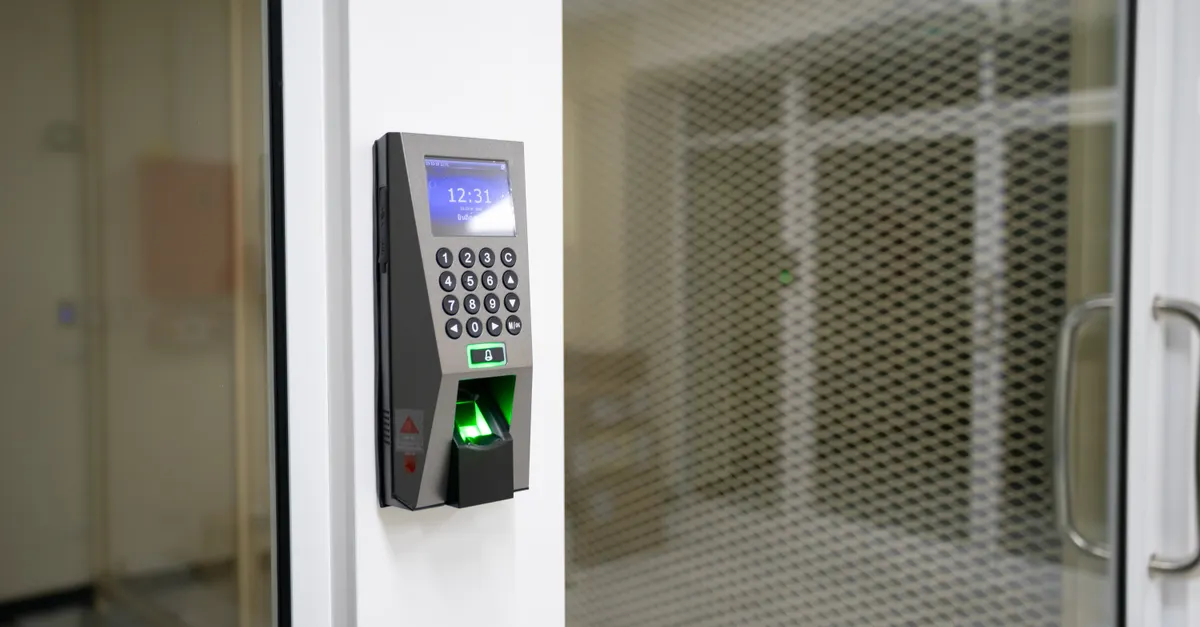
Modern home security is evolving rapidly, and one of the most significant advancements is the adoption of fingerprint deadbolt locks. These biometric devices offer a blend of convenience and robust protection, making them a popular choice for homeowners, landlords, and anyone seeking to upgrade their entryway security. This fingerprint deadbolt lock guide will walk you through the essentials of biometric locks, their benefits, how they work, and what to consider before installing one on your door.
Biometric security, especially fingerprint recognition, is no longer reserved for high-security facilities. Today, these systems are accessible, affordable, and user-friendly, providing a seamless way to secure your property without relying on traditional keys. Whether you’re considering an upgrade for your main entrance or want to enhance security for shared living spaces, understanding the basics of fingerprint deadbolts is crucial.
If you’re interested in how biometric locks compare to traditional options for group living, you might also want to read about the best deadbolt for shared houses for additional insights on security solutions everyone can use.
How Biometric Deadbolts Work
At the heart of every fingerprint deadbolt is a biometric sensor that scans and stores unique fingerprint patterns. When a registered user places their finger on the sensor, the lock compares the scan to its database. If there’s a match, the deadbolt unlocks instantly. This process is both fast and highly secure, as fingerprints are extremely difficult to replicate.
Most modern biometric deadbolts allow you to store multiple fingerprints, making them ideal for families, roommates, or small offices. Some models also include backup entry methods, such as keypads or traditional keys, to ensure access in case of sensor malfunction or battery depletion.

Advantages of Fingerprint-Enabled Locks
Switching to a biometric deadbolt brings several notable benefits:
- Keyless convenience: No more fumbling for keys or worrying about losing them. Your fingerprint is always with you.
- Enhanced security: Fingerprints are unique, making unauthorized access extremely difficult.
- Access control: Easily add or remove users without needing to rekey or replace locks.
- Audit trails: Some advanced models log entry times and users, providing extra oversight for shared spaces.
- Modern design: Many biometric locks feature sleek, contemporary looks that complement today’s doors and hardware.
These advantages make fingerprint deadbolts especially appealing for households with multiple residents, rental properties, and anyone seeking a higher level of security without sacrificing ease of use.
Key Features to Look For in a Fingerprint Deadbolt Lock
Not all biometric locks are created equal. When shopping for a fingerprint deadbolt, consider the following features to ensure you’re getting the best fit for your needs:
- Fingerprint capacity: Check how many unique prints the lock can store. More capacity is useful for larger households or offices.
- Backup entry options: Look for locks that offer PIN codes, mechanical keys, or smartphone access as alternatives.
- Battery life and alerts: Long battery life and low-battery warnings help prevent lockouts.
- Weather resistance: If installing outdoors, ensure the lock is rated for water and dust resistance.
- Integration with smart home systems: Some models connect with Wi-Fi, Bluetooth, or smart home platforms for remote management.
- Installation compatibility: Confirm the lock fits your door’s thickness and existing deadbolt cutout.
Reading expert reviews and comparisons, such as those found in comprehensive electronic deadbolt roundups, can help you identify models that balance security, convenience, and reliability.
Installation and Maintenance Tips
Installing a fingerprint-enabled deadbolt is often straightforward, especially if you’re replacing an existing standard deadbolt. Most kits include all necessary hardware and detailed instructions. However, if you’re not comfortable with DIY projects, consider hiring a professional to ensure proper alignment and operation.

Here are some practical tips for installation and upkeep:
- Ensure your door is properly aligned. Misalignment can cause the deadbolt to jam or wear out prematurely. For more on this, see our article on door alignment and deadbolt performance.
- Follow the manufacturer’s instructions for registering fingerprints. Clean, dry fingers produce the most reliable scans.
- Replace batteries as recommended. Most locks provide a low-battery warning, and some allow for emergency power via USB.
- Test all entry methods (fingerprint, PIN, key) after installation to ensure everything works smoothly.
Routine maintenance is minimal, but keeping the sensor clean and periodically updating user access will help maintain optimal performance and security.
Security Considerations and Limitations
While biometric deadbolts offer advanced protection, no lock is entirely foolproof. Here are some important factors to keep in mind:
- Physical security: The strength of the deadbolt mechanism and strike plate is just as important as the biometric sensor. Choose models with solid construction and high-grade materials.
- Vulnerability to hacking: Although rare, some smart locks have been targeted by hackers. Models with strong encryption and no remote access are generally more secure.
- Sensor reliability: Dirty, wet, or injured fingers may not always be recognized. Always set up backup access methods.
- Power dependency: Battery failure can lock you out. Keep spare batteries on hand and know how to use alternative entry options.
For seniors or those with mobility challenges, biometric locks can be especially helpful, but it’s wise to review additional deadbolt security for seniors to ensure safe and easy access for all users.
Comparing Biometric Locks to Other Entry Systems
Fingerprint deadbolts are just one option among many modern entry systems. Here’s how they stack up against other popular choices:
| Lock Type | Pros | Cons |
|---|---|---|
| Biometric/Fingerprint | Keyless, fast access, unique to each user | Requires power, sensor may fail if dirty or damaged |
| Keypad | No keys needed, easy to share codes | Codes can be guessed or shared; needs batteries |
| Traditional Key | No batteries, familiar operation | Keys can be lost, copied, or stolen |
| Smartphone App | Remote access, activity logs | Depends on phone and connectivity |
Each system has its strengths and weaknesses. For many, the combination of biometric security and backup entry methods offers the best balance of convenience and peace of mind.
Choosing the Right Biometric Deadbolt for Your Needs
When selecting a fingerprint-enabled deadbolt, consider your household size, typical entry habits, and the level of security you require. For shared homes or rental properties, models with robust user management and audit trails may be especially valuable. If you’re handy, you might compare DIY vs professional deadbolt installation to decide which approach is best for your situation.
Don’t forget to check compatibility with your door and any smart home systems you already use. Reading user reviews and expert recommendations can help you avoid common pitfalls and select a lock that will serve you reliably for years.
Frequently Asked Questions
Are fingerprint deadbolts safe from hacking or duplication?
Biometric locks use advanced encryption and store fingerprint data securely, making them highly resistant to hacking. Unlike passwords or keys, fingerprints are extremely difficult to duplicate. However, always choose reputable brands and models with a proven security track record.
What happens if the fingerprint sensor stops working?
Most biometric deadbolts include backup entry methods such as PIN codes or mechanical keys. If the sensor fails due to dirt, damage, or battery issues, you can still access your property using these alternatives. Regular maintenance and keeping backup options ready will minimize inconvenience.
Can I install a fingerprint deadbolt on any door?
Most models are designed to fit standard door thicknesses and deadbolt cutouts. However, it’s important to measure your door and check the manufacturer’s specifications before purchasing. Some doors may require minor adjustments or professional installation for optimal fit and function.
Conclusion
Upgrading to a biometric deadbolt offers a significant step forward in home security. With keyless entry, personalized access, and robust protection, fingerprint-enabled locks provide both convenience and peace of mind. By understanding the features, installation requirements, and security considerations outlined in this guide, you’ll be well-equipped to choose and maintain the right lock for your needs.