


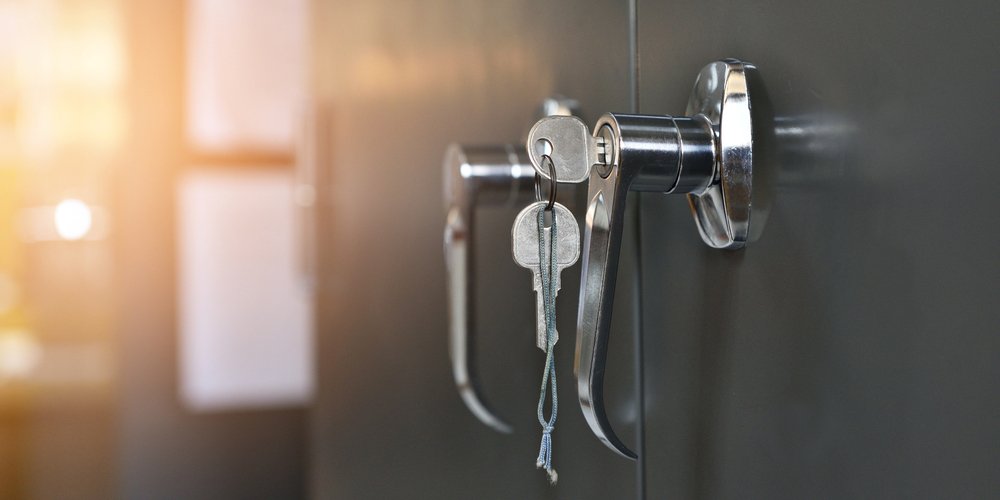
Upgrading or changing the lock core in a file cabinet is a practical way to restore security, fix lost keys, or modernize your office storage. Whether you’re dealing with a jammed lock, a missing key, or simply want to improve access control, file cabinet lock core replacement is a straightforward solution that doesn’t always require replacing the entire locking mechanism. This guide covers the essentials: why you might need to swap out a lock core, how to do it, and what to consider for a smooth and secure upgrade.
Many file cabinets use cam locks or cylinder locks that allow for the core to be replaced independently of the housing. This means you can often resolve issues like worn keys, compromised security, or outdated locks without major expense or disruption. Whether you’re a facilities manager, business owner, or a DIY enthusiast, understanding the process and your options can help you make informed decisions about your cabinet security.
Before diving into the step-by-step process, it’s helpful to understand how lock cores fit into the broader locking system. If you’re interested in visualizing the internal workings, check out this file cabinet locking mechanism diagram for a detailed look at how these components interact.
Why Consider Replacing Your File Cabinet Lock Core?
There are several reasons to opt for a file cabinet lock core replacement rather than a full lock swap or cabinet replacement:
- Lost or Stolen Keys: If keys go missing, replacing the core ensures that old keys no longer work, restoring security quickly.
- Worn or Damaged Cores: Over time, lock cores can wear out, making them difficult to turn or unreliable.
- Upgrading Security: Newer lock cores may offer better pick resistance or compatibility with master key systems.
- Cost-Effective Solution: Swapping the core is often less expensive and less disruptive than replacing the entire lock or cabinet.
- Key Control: Businesses can standardize or rekey cabinets without changing hardware, improving access management.
For situations where you want to keep your existing lock but change which keys operate it, you might also consider a rekey file cabinet lock service as an alternative.
Types of File Cabinet Lock Cores
Understanding the type of lock core in your cabinet is crucial before starting the replacement process. The most common types include:
- Cam Lock Cores: Used in many metal and wood cabinets, these are simple cylinder locks with a rotating cam on the end.
- Pin Tumbler Cores: Similar to door locks, these offer higher security and are often found in premium office furniture.
- Wafer Tumbler Cores: Common in budget cabinets, these are less secure but easy to replace.
- Removable Core Systems: Some cabinets use interchangeable cores, allowing for quick changes with a control key.
Check your cabinet’s documentation or inspect the lock for identifying marks to determine which type you have. If the lock is loose or not turning smoothly, you might also need file cabinet cam lock repair before proceeding with a core swap.
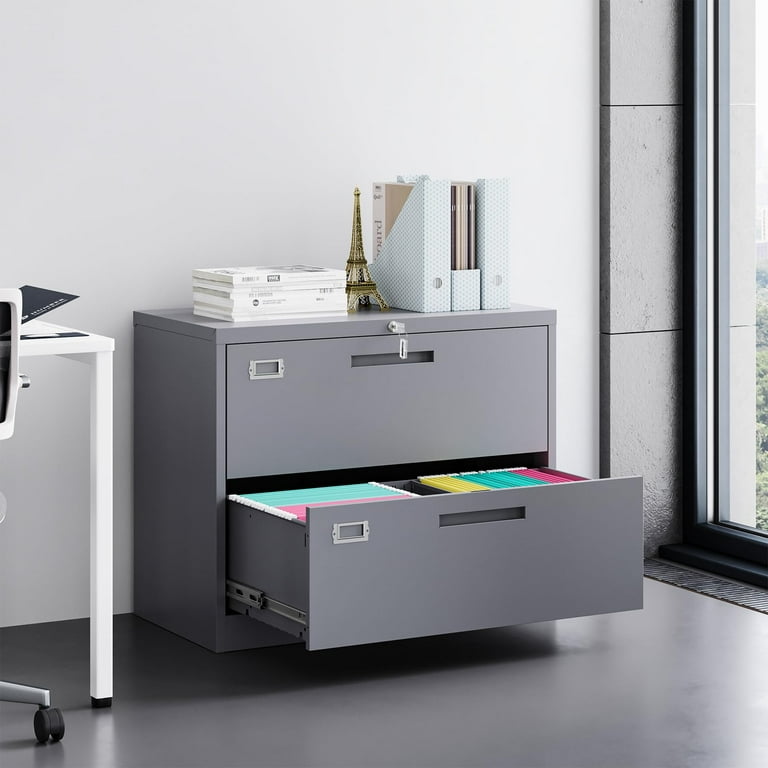
Step-by-Step Guide to Swapping a Lock Core
Performing a file cabinet lock core replacement can be a DIY task for many standard cabinets. Here’s a general overview of the process:
- Gather Tools and Parts: You’ll need a new lock core (matched to your cabinet type), a screwdriver, and possibly a control key for removable core systems.
- Open the Cabinet: Unlock and open the cabinet to access the rear of the lock. If you’ve lost the key, you may need professional help or to drill out the old core.
- Remove the Retaining Clip: Most lock cores are held in place by a clip or nut on the inside of the cabinet. Use a screwdriver or pliers to remove it.
- Extract the Old Core: Slide or pull the old core out of the lock housing. Take note of its orientation and any cam or tailpiece attached.
- Install the New Core: Insert the new core into the housing, making sure any cam or tailpiece is properly aligned. Secure it with the retaining clip or nut.
- Test the Lock: Before closing the cabinet, test the new core with its key to ensure smooth operation.
- Reassemble and Secure: Once satisfied, close the cabinet and check that it locks and unlocks as expected.
If you encounter issues such as a stuck lock or a damaged housing, consult a professional or refer to metal file cabinet lock repair resources for troubleshooting tips.
Choosing the Right Replacement Core
Not all lock cores are universal. When selecting a replacement, consider:
- Compatibility: Match the core to your cabinet’s brand and model. Measure the length and diameter of the old core for accuracy.
- Keying Options: Decide if you want the new core to use the same key as other cabinets (keyed alike) or a unique key (keyed differently).
- Security Level: Higher-security cores may cost more but offer better protection against picking or unauthorized access.
- Finish and Style: Choose a finish that matches your cabinet for a seamless look.
For more on the differences between lock replacement, rekeying, and core swaps, see this comprehensive guide to file cabinet lock replacement.
When to Call a Locksmith
While many lock core changes are manageable for DIYers, there are times when professional help is the best option:
- Lost All Keys: If you can’t open the cabinet, a locksmith can open it non-destructively and replace the core.
- Complex Lock Systems: Cabinets with master key systems or high-security cores may require specialized tools or knowledge.
- Damaged Locks: If the lock housing is bent, rusted, or otherwise damaged, a locksmith can repair or replace the entire assembly.
- Business Security Policies: Offices with strict access control should use licensed professionals to maintain compliance and documentation.
For ongoing issues with drawers not locking or unlocking smoothly, you may also benefit from file cabinet drawer lock repair services to keep your storage secure and functional.
Maintenance Tips After a Lock Core Swap
Once you’ve completed a file cabinet lock core replacement, a few simple steps can help extend the life of your new lock:
- Lubricate the lock periodically with a graphite-based lubricant.
- Keep spare keys in a secure but accessible location.
- Check for loose screws or hardware and tighten as needed.
- Train staff or users on proper locking and unlocking procedures to avoid accidental damage.
Regular maintenance ensures your cabinet remains secure and easy to use, reducing the risk of future lockouts or failures.
Frequently Asked Questions
Can I replace a file cabinet lock core without the original key?
If you’ve lost the key, replacing the core is still possible, but you’ll need to open the cabinet first. This may require picking the lock, using a control key (for removable core systems), or drilling out the old core. In such cases, it’s often best to consult a locksmith to avoid damaging the cabinet.
Is it better to rekey or replace the lock core?
Rekeying is a good option if the lock is in good condition and you simply want to change which keys operate it. Replacing the core is preferable if the lock is worn, damaged, or you want to upgrade security. Both options help restore control over access without replacing the entire lock.
How do I know which replacement core fits my cabinet?
Check your cabinet’s brand, model, and the dimensions of the existing lock core. Many manufacturers provide part numbers or compatibility charts. If unsure, remove the old core and take it to a locksmith or hardware supplier for an exact match.
How often should I replace my file cabinet lock core?
There’s no set schedule, but consider replacing the core whenever keys are lost, employees leave, or the lock shows signs of wear. Regularly reviewing your office security policies can help determine the right timing for your needs.