


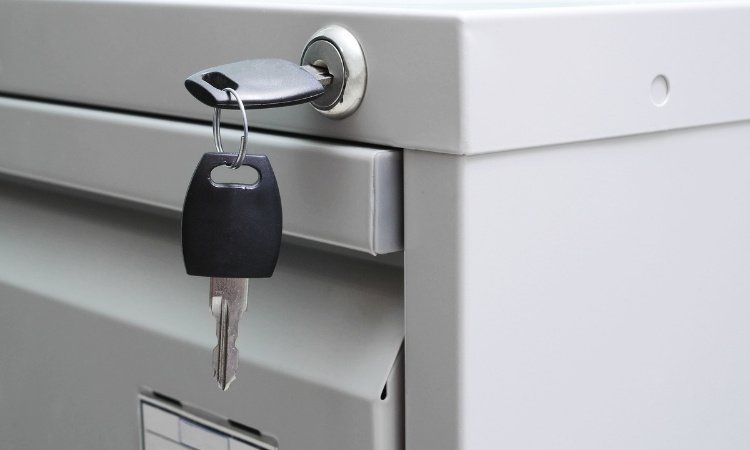
A well-functioning file cabinet lock is essential for keeping important documents secure and maintaining privacy in offices, schools, and even at home. Over time, however, cam locks on file cabinets can develop problems such as difficulty turning, sticking, or becoming loose. These issues can make it hard to access your files or compromise the security of your storage. Understanding the basics of file cabinet cam lock repair can help you restore smooth operation and extend the life of your cabinet.
This guide covers the most common problems with cam locks on file cabinets, step-by-step repair instructions, and tips for preventing future issues. Whether you’re dealing with a stuck lock, a cam that won’t turn, or a mechanism that feels wobbly, you’ll find practical solutions here. For a deeper understanding of the locking mechanism itself, you can also explore how file cabinet locks work to get a sense of what’s happening inside.
Common Problems with File Cabinet Cam Locks
File cabinet cam locks are relatively simple, but several issues can arise with regular use:
- Key Won’t Turn: The lock cylinder may be jammed, dirty, or misaligned.
- Loose Cam: The cam (the metal arm on the back of the lock) can become loose, causing the lock to spin or not engage properly.
- Sticking or Hard Turning: Dirt, debris, or lack of lubrication can make the lock difficult to operate.
- Broken or Worn Parts: Over time, the cam, cylinder, or retaining nut may wear out or break.
Recognizing these symptoms early can help you address them before the lock fails completely.
Diagnosing Turning Issues in Cam Locks
When a file cabinet lock is hard to turn or won’t turn at all, it’s important to identify the root cause before attempting repairs. Here’s how to approach the problem:
- Check the Key: Make sure you’re using the correct key and that it’s not bent or damaged.
- Inspect for Obstructions: Look inside the keyway for debris, broken key pieces, or other blockages.
- Test the Locking Mechanism: With the cabinet open, observe the cam as you turn the key. If the cam moves but doesn’t engage, it may be loose or stripped.
- Feel for Resistance: If the key turns with difficulty, the lock may need lubrication or cleaning.
If you notice the cam spinning freely or not moving at all, a more involved repair may be necessary.
How to Fix a Loose or Spinning Cam
A loose cam is a common cause of locking problems. The cam is attached to the back of the lock cylinder, and if it becomes loose, the lock may spin without engaging the locking bar. Here’s how to address this issue:
- Open the Cabinet: If possible, open the cabinet to access the back of the lock. If the lock is stuck, you may need to remove the drawer or use a locksmith’s bypass tool.
- Tighten the Retaining Nut: Most cam locks are held in place by a hex nut or retaining clip. Use pliers or a wrench to tighten the nut. If the nut is stripped or missing, replace it.
- Check the Cam: Ensure the cam is not bent or worn. If it is, replace it with a matching part.
- Reassemble and Test: After tightening, test the lock several times to ensure smooth operation.
If tightening the nut doesn’t solve the problem, the lock cylinder itself may be worn and require replacement.
Step-by-Step Guide to File Cabinet Cam Lock Repair
Follow these steps for a thorough repair of a malfunctioning cam lock:
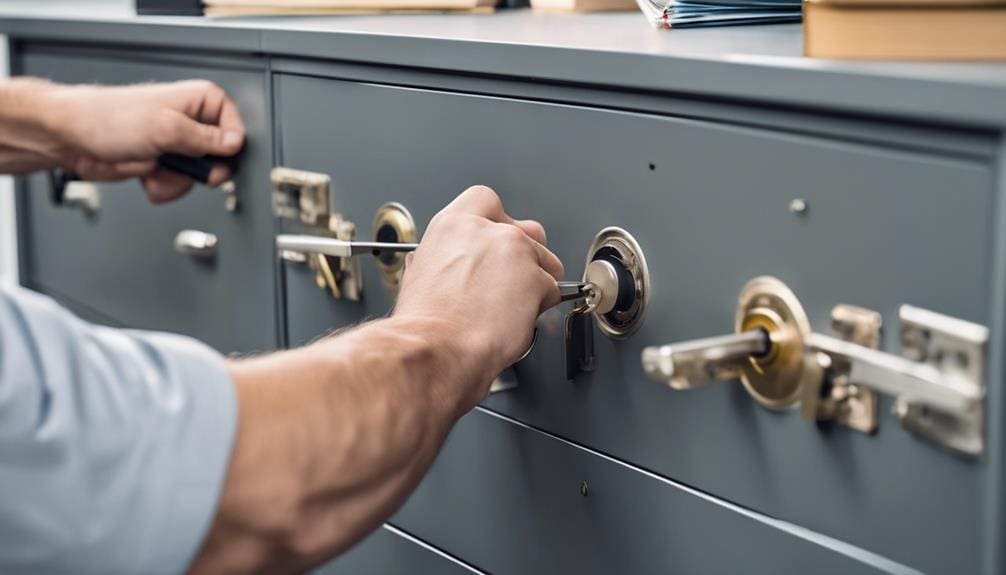
- Remove the Lock: With the cabinet open, unscrew or unclip the retaining nut or clip from the back of the lock. Slide the lock cylinder out from the front.
- Clean the Parts: Use compressed air or a small brush to remove dust and debris from the lock cylinder and cam.
- Lubricate: Apply a graphite-based lubricant to the keyway and moving parts. Avoid using oil-based lubricants, as they attract dust.
- Inspect for Damage: Check the cam, cylinder, and retaining hardware for signs of wear or damage. Replace any worn components.
- Reinstall: Insert the lock cylinder back into the cabinet, secure it with the retaining nut or clip, and reattach the cam.
- Test: Insert the key and turn it several times to ensure the lock operates smoothly and the cam engages properly.
For more detailed instructions, you can refer to this step-by-step filing cabinet lock replacement guide.
Preventing Future Cam Lock Problems
Regular maintenance can help prevent many common issues with file cabinet locks. Here are some tips:
- Keep Locks Clean: Periodically clean the keyway and moving parts to prevent dust buildup.
- Lubricate Annually: Apply a dry lubricant to the lock at least once a year.
- Check for Loose Hardware: Inspect the retaining nut and cam periodically and tighten if necessary.
- Use the Correct Key: Avoid forcing the key or using the wrong one, as this can damage the cylinder.
If you have a metal cabinet, you may also find value in these specialist tips for steel file cabinet lock repair.
When to Replace Instead of Repair
While many cam lock issues can be fixed with basic tools and a little patience, there are times when replacement is the better option:
- Severely Worn or Broken Locks: If the cylinder or cam is cracked, stripped, or otherwise damaged beyond repair, replacement is necessary.
- Lost Keys: If you’ve lost all copies of the key and cannot pick or bypass the lock, replacing the lock is the safest solution.
- Security Upgrades: Upgrading to a higher-security cam lock can provide better protection for sensitive documents.
Replacement cam locks are widely available and often come with multiple keys. Installation is straightforward and follows the same steps as reinstallation after repair.
If you’re dealing with a specific type of cabinet, such as a two-drawer or three-drawer unit, you can find more targeted advice in these resources on two drawer file cabinet lock repair and three drawer file cabinet lock system repair.
FAQ: File Cabinet Cam Lock Troubleshooting
Why is my file cabinet lock spinning but not locking?
A spinning lock usually means the cam or retaining nut has come loose or stripped. Tightening the nut or replacing the cam often resolves this issue. If the lock cylinder itself is damaged, replacement may be necessary.
Can I lubricate a file cabinet lock with WD-40?
It’s best to avoid oil-based lubricants like WD-40 for cam locks. Instead, use a graphite or silicone-based lubricant, which won’t attract dust and debris. This helps maintain smooth operation and prevents sticking.
How do I remove a broken file cabinet cam lock?
To remove a broken lock, open the cabinet if possible and unscrew the retaining nut or clip from the back. If the lock is jammed shut, you may need to drill it out or call a professional locksmith for assistance.
What should I do if my key is stuck in the lock?
Gently wiggle the key while applying light pressure. Avoid forcing it, as this can break the key. If it remains stuck, apply a small amount of graphite lubricant and try again. If the key still won’t come out, consult a locksmith.
Conclusion
Proper maintenance and timely file cabinet cam lock repair can keep your storage units secure and functional for years. By understanding the causes of common lock problems and following the repair steps outlined above, you can handle most issues yourself. For persistent problems or if you’re unsure about the repair process, don’t hesitate to reach out to a professional locksmith for help.