


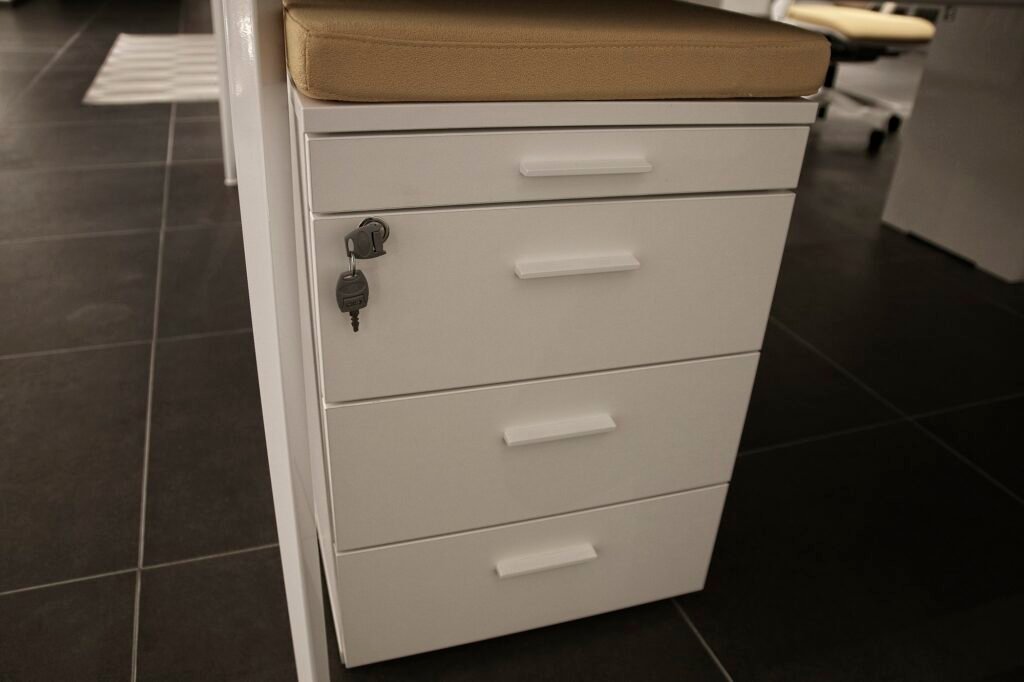
Modern office security often depends on electronic file cabinet locks. When these locks malfunction, access to important documents can be delayed or even lost. Understanding the basics of electronic file cabinet lock troubleshooting can help you quickly identify and resolve common issues, especially those related to power supply and keypad codes. This guide covers practical steps for diagnosing and fixing typical problems, so you can restore secure access with minimal downtime.
Before diving into technical solutions, it’s important to recognize that electronic locks differ from traditional mechanical ones. They rely on batteries, wiring, and digital keypads, which means troubleshooting often involves both electrical and mechanical checks. If you’re facing persistent issues, it may also be worth exploring related concerns such as file cabinet lock misalignment repair or examining the locking mechanism itself.
Common Signs Your Electronic Lock Needs Attention
Recognizing the early warning signs of a malfunctioning lock can save time and prevent further complications. Here are some typical symptoms that indicate the need for electronic file cabinet lock troubleshooting:
- The keypad does not respond when pressed.
- LED indicators fail to light up or display error codes.
- The lock emits unusual beeping or error tones.
- Access codes are not accepted, even when entered correctly.
- The lock mechanism remains stuck or unresponsive after entering the code.
If you notice any of these issues, it’s best to address them promptly to avoid being locked out of your files.
Power Supply Issues and Battery Replacement
A significant number of electronic lock failures are due to power problems. Most models use batteries, which can deplete over time or lose contact due to corrosion or misalignment. Here’s how to approach power-related troubleshooting:
- Check the Battery Compartment: Open the battery cover, usually located on the inside of the cabinet or behind the keypad. Inspect for corrosion, loose connections, or damaged terminals.
- Replace the Batteries: Use the recommended battery type (often AA or AAA alkaline). Replace all batteries at once to ensure balanced power delivery.
- Test the Lock: After installing fresh batteries, test the keypad and locking mechanism. If the lock responds, the issue was likely power-related.
- Inspect for Wiring Issues: For locks connected to external power or with visible wiring, check for frayed or disconnected wires. Loose connections can interrupt power flow.
If battery replacement and wiring checks do not resolve the issue, the problem may lie with the keypad or internal circuitry.

Keypad and Code Entry Problems
When the keypad is powered but still not working, the issue may be with the code entry system. Here’s how to address keypad and code-related failures:
- Verify the Code: Double-check that you’re using the correct access code. Some locks reset to a default code after a battery change.
- Reset the Lock: Many electronic locks have a reset button or procedure. Consult the manufacturer’s manual for instructions. Resetting can clear glitches or restore default settings.
- Check for Lockout Mode: Multiple incorrect code entries can trigger a temporary lockout. Wait for the lockout period to expire, then try again.
- Inspect the Keypad: Dirt, moisture, or worn buttons can cause input errors. Clean the keypad gently with a dry cloth and check for stuck keys.
If resetting and cleaning do not help, the keypad or control board may need professional attention. For persistent code entry issues, consider seeking help from a locksmith experienced with digital cabinet locks.
Mechanical and Structural Concerns
Sometimes, the problem is not electronic at all. Mechanical misalignment or damage can prevent the lock from engaging or disengaging. If you suspect a physical issue, inspect the cabinet’s locking components:
- Check the Lock Bolt: Ensure the bolt moves freely and is not obstructed by debris or misaligned parts. If the bolt is stuck, you may need to explore file cabinet lock bolt repair for a solution.
- Inspect the Locking Rods: Some cabinets use rods to secure multiple drawers. Misalignment can prevent the lock from operating correctly. Learn more about this issue in file cabinet locking rod repair.
- Examine Hinges and Actuators: Warped or damaged hinges can cause closure problems. If the drive mechanism is faulty, file cabinet lock actuator fix may be necessary.
Addressing these structural issues can restore proper function, even if the electronics are working as intended.

Advanced Troubleshooting and When to Seek Help
If basic steps do not resolve the problem, more advanced troubleshooting may be required. This can include:
- Testing voltage across battery terminals with a multimeter.
- Inspecting the circuit board for signs of damage or burnt components.
- Reprogramming the lock using manufacturer instructions.
For those without technical experience, it’s wise to consult a professional. Attempting complex repairs without proper knowledge can cause further damage or void warranties. If you’re unable to open your cabinet after trying these steps, you might find helpful advice in this forum discussion on opening a locked file cabinet or by contacting a locksmith.
Preventive Maintenance for Electronic Locks
Regular maintenance can prevent many common issues with digital cabinet locks. Here are some best practices:
- Replace batteries every 6–12 months, or as recommended by the manufacturer.
- Keep the keypad clean and dry to avoid input errors.
- Inspect the locking mechanism for wear or misalignment.
- Test the lock periodically to ensure it responds correctly.
- Store backup codes or override keys in a secure location.
By following these steps, you can extend the lifespan of your lock and reduce the likelihood of unexpected failures.
FAQ: Electronic File Cabinet Lock Issues
What should I do if my electronic file cabinet lock is completely unresponsive?
Start by checking the battery compartment for dead batteries or corrosion. Replace all batteries with fresh ones and ensure proper contact. If the lock remains unresponsive, inspect wiring and connections. If these steps fail, the internal circuitry or keypad may be faulty and require professional service.
How can I reset the code on my digital file cabinet lock?
Most electronic locks have a reset button or sequence, often detailed in the user manual. Typically, you’ll need to press and hold a reset button (sometimes inside the battery compartment) and enter a new code. If you’ve lost the manual, check the manufacturer’s website for instructions or consult a locksmith.
Why does my lock beep or flash an error after entering the correct code?
This can happen if the lock is in lockout mode due to multiple incorrect entries, if the batteries are low, or if there’s a keypad malfunction. Wait for the lockout period to expire, replace the batteries, and try again. If the problem persists, the keypad or control board may need repair.
Can mechanical issues affect my electronic lock?
Yes, physical misalignment, jammed bolts, or damaged hinges can prevent the lock from working, even if the electronics are functioning. Inspect the cabinet’s structure and locking components for visible problems and address them as needed.
Conclusion
Troubleshooting digital file cabinet locks involves a combination of electrical and mechanical checks. Start with the basics: replace batteries, verify codes, and inspect for visible damage. If the problem persists, consider advanced diagnostics or professional help. Regular maintenance and prompt attention to warning signs can keep your files secure and accessible. For more in-depth repairs, explore resources on file cabinet lock hinge issues and related topics to ensure your cabinet remains in top condition.