


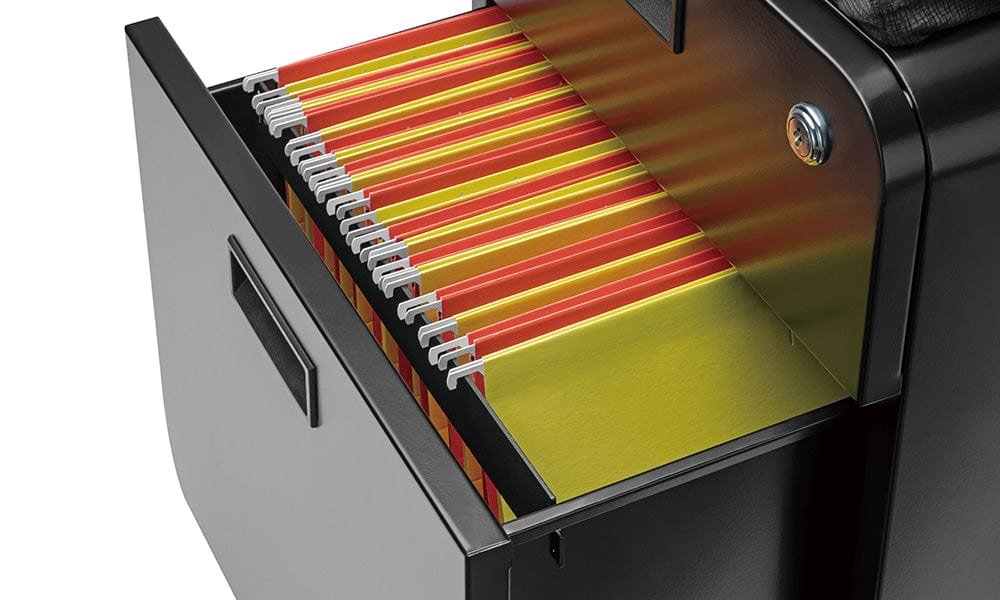
Electronic locks on file cabinets offer a convenient and secure way to protect sensitive documents, but when these systems fail, access to important files can be disrupted. Understanding how to approach digital file cabinet lock repair is essential for both office managers and anyone responsible for maintaining secure storage. This article provides a practical overview of troubleshooting and fixing electronic entry systems on filing cabinets, including common issues, repair steps, and when to call a professional.
Modern digital locks are more complex than traditional keyed mechanisms, featuring keypads, RFID readers, or even biometric sensors. While these features enhance security, they also introduce new points of failure. Whether you’re dealing with a keypad that won’t respond, a lock that won’t disengage, or a system that needs resetting, knowing the basics of digital lock repair can save time and prevent unnecessary damage.
For those facing issues with combination locks, you may find it helpful to review this guide on reset file cabinet combination lock for step-by-step instructions on restoring access.
Understanding Electronic File Cabinet Lock Mechanisms
Electronic locks on filing cabinets typically use a combination of digital keypads, RFID cards, or biometric sensors to control access. The core components include:
- Keypad or Reader: Accepts the user’s input (PIN, card, or fingerprint).
- Control Board: Processes the input and sends signals to the locking mechanism.
- Actuator: Physically moves the lock bolt or latch when access is granted.
- Power Source: Usually batteries, but sometimes wired power.
Failures can occur in any of these components, and identifying the source is the first step in effective digital file cabinet lock repair.
Common Problems with Electronic Cabinet Locks
Some of the most frequent issues encountered with digital file cabinet locks include:
- Non-Responsive Keypad: The keypad doesn’t light up or accept input, often due to dead batteries or faulty wiring.
- Lock Won’t Open: Even with the correct code or credential, the lock remains engaged. This could be caused by a jammed actuator or misaligned bolt.
- Intermittent Operation: The lock works sporadically, which may indicate loose connections or low battery power.
- Error Messages or Beeping: Some systems display error codes or beep to indicate specific problems, such as incorrect codes or tampering attempts.
Before attempting repairs, always consult the manufacturer’s manual for troubleshooting tips and safety precautions.

Step-by-Step Guide to Digital File Cabinet Lock Repair
When dealing with a malfunctioning electronic lock, follow these steps to diagnose and potentially resolve the issue:
-
Check the Power Source
- Replace the batteries with fresh ones, ensuring correct polarity.
- If the lock is hardwired, inspect the power cable for damage or loose connections.
-
Inspect the Keypad or Reader
- Look for visible damage, stuck buttons, or dirt obstructing the sensors.
- Clean the surface gently with a dry cloth.
-
Reset the Lock
- Refer to the manufacturer’s instructions for resetting the lock to factory settings.
- This often involves pressing a reset button or entering a master code.
-
Test the Locking Mechanism
- After resetting, enter the default code to check if the actuator responds.
- If the lock still won’t disengage, the problem may be mechanical.
-
Examine the Actuator and Bolt
- Open the cabinet (if possible) and inspect the actuator for signs of wear or misalignment.
- Lubricate moving parts with a suitable product if needed.
- For more on mechanical repairs, see this article on file cabinet lock bolt repair.
If these steps do not resolve the issue, the lock may require professional servicing or replacement.
When to Call a Locksmith for Electronic Lock Repairs
While many minor issues can be resolved with basic troubleshooting, certain situations call for expert help:
- The lock is completely unresponsive after battery replacement and reset attempts.
- Internal components are visibly damaged or corroded.
- The locking mechanism is jammed and cannot be accessed without specialized tools.
- Security protocols require professional handling to avoid data breaches or compliance violations.
Professional locksmiths have the tools and experience to diagnose complex electronic lock failures and can often repair or replace components without damaging the cabinet.
Preventative Maintenance for Digital Cabinet Locks
Regular maintenance can extend the life of your electronic lock and reduce the likelihood of unexpected failures. Consider these best practices:
- Change batteries at least once a year or when prompted by low-battery indicators.
- Keep keypads and sensors clean and free of dust or debris.
- Test the lock’s operation monthly to ensure all components function smoothly.
- Update access codes or credentials periodically for enhanced security.
- Review the locking rod and actuator systems for signs of misalignment. For more details, see file cabinet locking rod repair and file cabinet lock actuator fix.
Following a maintenance schedule not only improves reliability but also helps identify potential issues before they become major problems.
Installation and Upgrade Considerations
If you’re considering upgrading your filing cabinet’s security, modern electronic locks offer features such as audit trails, remote access, and multi-factor authentication. Proper installation is crucial for optimal performance. For step-by-step installation advice, refer to this comprehensive guide to installing a filing cabinet lock.
When selecting a new lock, consider compatibility with your cabinet, ease of use, and the level of security required for your environment.
Frequently Asked Questions
How do I reset the code on my digital file cabinet lock?
Most electronic locks have a reset procedure outlined in the manufacturer’s manual. This typically involves pressing a reset button inside the cabinet or entering a master code. If you’re unsure, consult the documentation or contact a locksmith for assistance.
What should I do if the keypad is unresponsive?
First, replace the batteries with new ones. If the keypad remains unresponsive, check for visible damage or dirt. If cleaning and battery replacement do not help, the internal wiring or control board may be faulty and require professional repair.
Can I repair a jammed electronic lock myself?
Simple jams caused by misaligned bolts or minor obstructions can sometimes be fixed by gently realigning the mechanism or lubricating moving parts. However, if the lock remains stuck after basic troubleshooting, it’s best to call a professional to avoid damaging the cabinet or voiding the warranty.
Conclusion
Addressing issues with electronic file cabinet locks requires a combination of troubleshooting skills and an understanding of both digital and mechanical components. By following the steps outlined in this guide, you can resolve many common problems and keep your documents secure. For persistent issues or advanced repairs, don’t hesitate to reach out to a qualified locksmith for expert help.


