


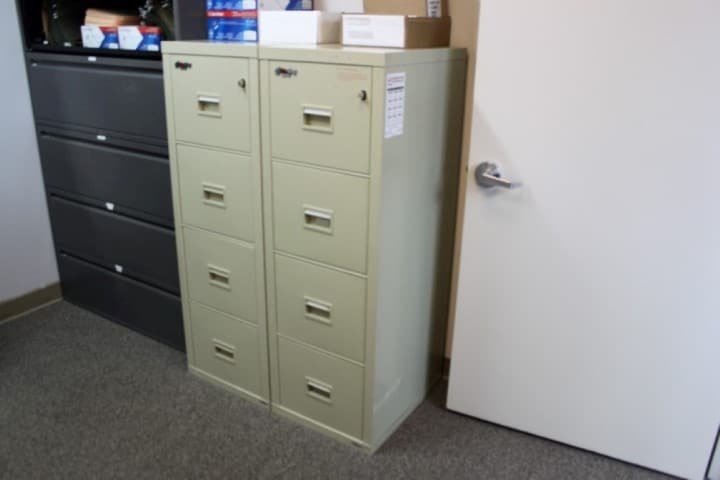
Combination locks on file cabinets provide a convenient way to secure sensitive documents without the need for keys. However, there are times when you need to reset file cabinet combination lock settings—whether you’ve forgotten the code, want to update access, or are setting up a new cabinet. Understanding the correct process is essential for maintaining both security and ease of use.
This guide will walk you through the practical steps for resetting a combination lock on a file cabinet, highlight important safety tips, and address common issues you might encounter. You’ll also find helpful resources for related repairs, such as file cabinet lock misalignment repair, to ensure your cabinet remains fully functional and secure.
When and Why to Change Your File Cabinet Combination
There are several reasons to update the combination on your file cabinet lock. Regularly changing the code helps prevent unauthorized access, especially in shared office environments or after staff changes. You may also need to reset the lock if you suspect someone else knows the code, if the lock is malfunctioning, or if you simply want to establish a new security routine.
Resetting the code is also recommended after purchasing a used cabinet or if you notice any signs of tampering. Taking these steps ensures your sensitive files remain protected at all times.
Preparation: What You’ll Need Before You Begin
Before attempting to reset file cabinet combination lock mechanisms, gather the following:
- The current combination (if known)
- The manufacturer’s instructions or model number
- A small screwdriver or reset tool (if required by your lock type)
- Pen and paper to note the new code
If you don’t have the current code, check for a reset override or consult the cabinet’s documentation. Some locks can only be reset when open, while others require a special tool or factory assistance.

Step-by-Step Instructions for Resetting a File Cabinet Lock
The exact process to update your cabinet’s combination will depend on the lock’s brand and design. Below is a general guide for most common models:
-
Open the Cabinet
Most combination locks must be in the unlocked position to allow resetting. Enter the existing code and open the cabinet. -
Locate the Reset Mechanism
Look for a small reset button or lever, often found inside the lock mechanism or on the back of the lock. Some models require a thin tool or screwdriver to access this feature. -
Engage the Reset Mode
Press and hold the reset button, or move the lever to the reset position. Keep it engaged while you set the new combination. -
Set Your New Code
Turn the dials to your desired combination. Make sure to choose a code that’s easy for you to remember but difficult for others to guess. -
Finalize the Reset
Release the reset button or return the lever to its original position. Test the new code several times with the cabinet open to ensure it works properly.
Always record your new combination in a secure location. If your lock does not have a visible reset mechanism, consult the manufacturer’s website or manual for specific instructions.
Troubleshooting Common Combination Lock Issues
If you encounter problems while trying to reset file cabinet combination lock settings, consider these solutions:
- Forgotten Combination: Some locks have a master key or override code. If not, you may need professional assistance.
- Jammed Mechanism: Dust, debris, or misalignment can prevent the lock from resetting. Clean the area and check for visible obstructions.
- Reset Doesn’t Work: Double-check that you’re following the correct sequence. Some locks require the reset button to be held down during the entire process.
- Physical Damage: If the lock is damaged, resetting may not be possible. In this case, consider a replacement or professional repair.
For more complex problems, such as issues with the locking rod or actuator, you can find additional guidance in resources like file cabinet lock bolt repair or file cabinet locking rod repair.
Tips to Keep Your Combination Lock Secure
- Change the code periodically to reduce the risk of unauthorized access.
- Keep your combination confidential and avoid sharing it with anyone who doesn’t need access.
- Inspect the lock regularly for signs of tampering or wear.
- Store your combination in a secure location—never write it on the cabinet itself.
- Consider professional help if you’re unsure about the reset process or if the lock is malfunctioning.
If you ever need to replace the lock entirely, you can find a helpful guide on how to replace a file cabinet lock for step-by-step instructions.
When to Call a Locksmith
While many combination locks can be reset with the steps above, there are situations where professional assistance is the safest option. If you’ve lost access, the lock is damaged, or you’re dealing with a high-security cabinet, a licensed locksmith can help you regain entry without damaging your cabinet or its contents. Locksmiths also offer services for related issues, such as file cabinet lock hinge issues and file cabinet lock actuator fix.
Professional help is especially important if your cabinet contains sensitive or valuable information, or if you’re unsure about the lock’s mechanism.
Frequently Asked Questions
Can I reset my file cabinet combination if I forgot the current code?
In most cases, you need the current combination to reset the lock. Some models offer a master key or override feature, but if these are not available, you may need to contact the manufacturer or a locksmith for assistance.
How often should I change my file cabinet lock combination?
It’s a good practice to update your combination every 6–12 months, or immediately after a security concern such as staff changes or suspected unauthorized access.
What should I do if the lock won’t reset or is stuck?
First, check for any debris or misalignment in the lock mechanism. If the problem persists, consult the cabinet’s manual or seek professional help to avoid damaging the lock or cabinet.
Resetting your file cabinet’s lock is a straightforward way to enhance security and maintain control over your important documents. By following the steps outlined here and staying proactive about lock maintenance, you can ensure your files remain safe and accessible only to those you trust.