


Modern car keys have evolved far beyond traditional metal blades. Today’s key fobs offer convenience, security, and advanced features, but they can also be confusing for many drivers. Whether you need to program a new remote, replace a battery, or troubleshoot connectivity issues, finding clear, step-by-step guidance is essential. That’s where the best YouTube tutorials for key fobs come in—offering visual instructions that make complex tasks much easier to understand and complete.
This guide highlights the most useful video resources for key fob owners, explains what to look for in a quality tutorial, and shares tips for safe DIY repairs. If you’re interested in related topics, such as how to safely store a spare remote, you might also find the how to store spare key fob at home guide helpful.
Why Video Guides Are Essential for Key Fob Users
Key fobs are packed with technology, and each make and model can have unique programming steps or battery replacement procedures. Written manuals often lack the clarity and detail that video demonstrations provide. Watching a knowledgeable expert walk through the process can help you avoid mistakes and ensure your remote works as intended.
Some of the main reasons drivers turn to YouTube for key fob help include:
- Visual step-by-step instructions that make complex procedures easier to follow.
- Access to troubleshooting tips for common issues like signal loss or unresponsive buttons.
- Guidance on handling delicate components without causing damage.
- Learning about tools and supplies needed for safe DIY repairs.
How to Identify the Best YouTube Tutorials for Key Fobs
With thousands of videos available, not all tutorials offer the same level of accuracy or clarity. To ensure you’re getting reliable advice, look for the following qualities in a video guide:
- Clear audio and high-quality visuals so you can see each step in detail.
- Demonstrations using the same or similar key fob model as yours.
- Presenter credentials or positive feedback from viewers.
- Up-to-date information, especially for newer vehicles or remotes.
- Time stamps or chapter markers for quick navigation.
Many top channels also provide links to related resources, such as official manufacturer instructions or recommended tools. For example, if you’re looking for the right equipment to open your remote safely, check out this best tools to open key fob case without damage resource.
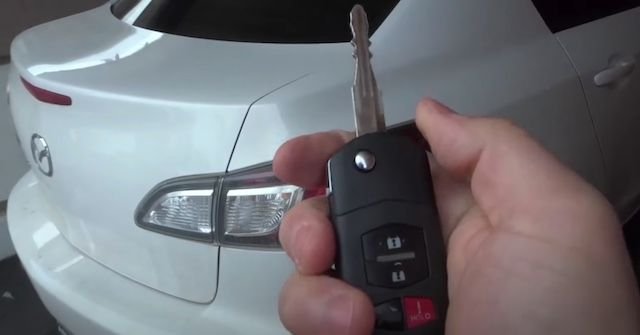
Popular Types of Key Fob Tutorials on YouTube
Video guides for remotes cover a wide range of topics. Here are some of the most common and helpful categories:
- Programming new remotes: Step-by-step instructions for syncing a new fob with your car’s onboard system.
- Battery replacement: Demonstrations showing how to open the case and swap out a dead battery.
- Troubleshooting: Diagnosing issues such as weak signals, unresponsive buttons, or intermittent operation.
- Case repair or replacement: Tips for fixing cracked shells or replacing worn buttons.
- Security and signal boosting: Advice on improving range and protecting against theft, such as with a key fob signal booster.
Many channels also cover brand-specific procedures, so searching for your car’s make and model can help you find the most relevant content.
Recommended Channels and Playlists for Remote Owners
While there are countless creators offering advice, a few channels stand out for their thoroughness and clarity. Here are some tips for finding the most helpful playlists:
- Look for automotive locksmiths or certified technicians with a track record of accurate, easy-to-follow videos.
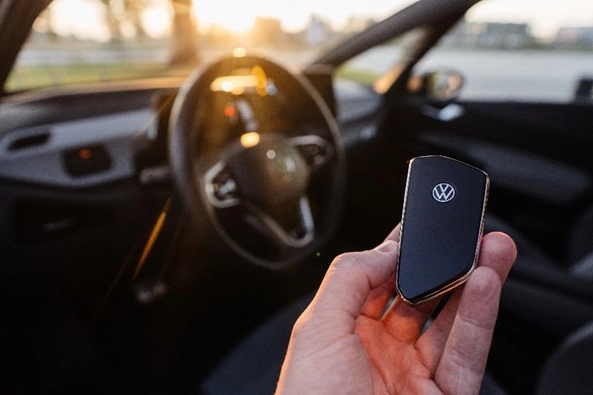
- Check for playlists dedicated to specific brands (e.g., Ford, Toyota, Honda) or remote types (smart keys, flip keys, etc.).
- Read viewer comments to gauge the effectiveness of the tutorial and see if the presenter responds to questions.
For additional background on the types of remotes and keys your vehicle may use, the Ford support page on key types offers a helpful overview.
Tips for Safe DIY Key Fob Repairs
While many remote-related tasks are simple enough for DIY, it’s important to proceed carefully to avoid damaging delicate electronics or voiding your car’s warranty. Here are some safety tips to keep in mind:
- Work on a clean, well-lit surface to avoid losing small parts.
- Use only non-metallic tools when prying open cases to prevent scratches or short circuits.
- Handle circuit boards and batteries with care—avoid touching contacts with your fingers.
- Double-check that you’re following a guide for your specific make and model.
- If you encounter issues beyond your comfort level, contact a professional locksmith for help.
For more advanced troubleshooting or if you’re locked out of your vehicle, a local locksmith can provide fast, expert assistance. If you’re interested in learning how to repair other types of locks, such as office furniture, the locked file cabinet repair guide is another valuable resource.
Common Mistakes to Avoid When Following Video Guides
Even with the most detailed video, mistakes can happen. To get the most out of the best YouTube tutorials for key fobs, keep these common pitfalls in mind:
- Skipping steps or not watching the entire video before starting.
- Using the wrong battery type or inserting it incorrectly.
- Forcing the case open and breaking clips or damaging the circuit board.
- Attempting to reprogram a remote without the correct sequence for your vehicle.
- Ignoring safety precautions, such as static discharge risks.
Taking your time and double-checking each step will help you avoid costly errors.
FAQ
What should I do if my key fob stops working after following a tutorial?
If your remote is unresponsive after a DIY repair or programming attempt, check that the battery is installed correctly and that all components are seated properly. If problems persist, consult a professional locksmith or your vehicle’s dealer for further diagnosis.
Are all key fobs programmed the same way?
No, programming procedures vary widely by make, model, and year. Always search for instructions specific to your vehicle and remote type to ensure success.
Can I use a generic remote purchased online?
Some vehicles support aftermarket remotes, but compatibility and programming steps may differ. Check your owner’s manual or consult a trusted locksmith before purchasing a replacement.
Where can I find more information about key fob maintenance?
For additional tips on remote care and troubleshooting, explore resources like the key fob signal booster guide or the how to fix file cabinet lock article for related lock maintenance advice.
Conclusion
Finding the right video guide can save you time, money, and frustration when dealing with your car’s remote. By choosing reputable channels, following instructions carefully, and knowing when to seek professional help, you can handle most key fob issues confidently. Always prioritize safety, use the correct tools, and take advantage of the wealth of information available through the best YouTube tutorials for key fobs and related online resources.


