


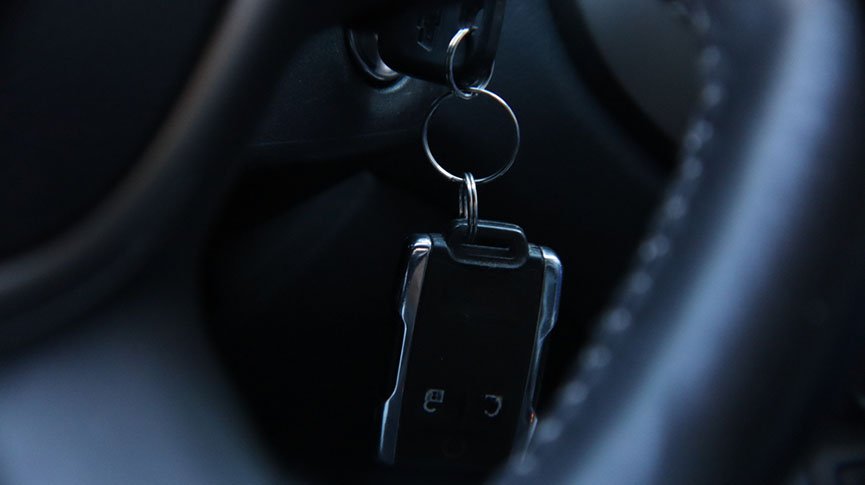
Modern vehicle access relies heavily on electronic key fobs, making them essential for convenience and security. Yet, many drivers overlook the importance of regular upkeep for these small but critical devices. Without proper care, issues like unresponsive buttons, battery failure, or even accidental lockouts can occur at the worst possible times. This guide provides a practical key fob maintenance checklist to help you keep your remote entry system reliable and extend its lifespan.
Proactive attention to your car remote is a simple way to avoid frustration and costly emergencies. Along with the steps outlined here, understanding the basics of fob technology and knowing when to seek professional help can make a significant difference. For those interested in the broader landscape of automotive security, the licensed locksmith service transparency rules offer valuable insights into choosing reputable service providers.
Why Regular Key Fob Care Matters
Keyless entry systems are designed for durability, but daily use exposes them to wear and tear. Dirt, moisture, and accidental drops can all impact performance. A neglected fob may suddenly stop working, leaving you stranded or unable to access your vehicle. By following a structured key fob maintenance checklist, you reduce the risk of unexpected failures and extend the device’s useful life.
Essential Steps for Fob Upkeep
Keeping your car remote in top condition doesn’t require technical expertise. The following checklist covers the most important aspects of routine care:
1. Inspect the Exterior for Damage
Examine your key fob regularly for cracks, loose buttons, or signs of physical stress. Even minor damage can let in dust or moisture, which may harm internal circuits. If you notice any issues, consider replacing the case or consulting a locksmith for repairs.
2. Clean Your Key Fob Safely
Dirt and grime can accumulate in button crevices, affecting responsiveness. Use a soft, dry cloth to wipe the surface. For stubborn debris, a cotton swab slightly dampened with rubbing alcohol can help. Avoid using excessive moisture or harsh chemicals, as these can damage the electronics inside.
3. Replace the Battery on Schedule
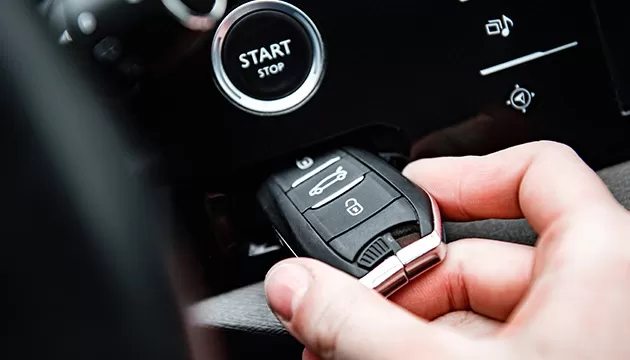
Most key fobs use coin cell batteries that last one to three years. If you notice reduced range or intermittent operation, it’s time for a replacement. Consult your vehicle’s manual for the correct battery type and follow the instructions carefully. Always handle batteries with dry hands and dispose of old ones responsibly.
4. Protect Against Moisture and Extreme Temperatures
Exposure to water or high humidity can cause internal corrosion, while extreme heat or cold may affect battery performance. Store your fob in a dry, temperate place—avoid leaving it in direct sunlight or inside a hot car. If your remote gets wet, remove the battery immediately and allow all components to dry thoroughly before reassembly.
5. Avoid Dropping or Crushing Your Remote
Accidental drops are a leading cause of internal circuit board damage. Use a keychain or lanyard to reduce the risk of dropping your fob. Never place it where it could be crushed, such as under heavy objects or in a tightly packed bag.
Advanced Tips for Key Fob Longevity
Beyond the basics, there are additional steps you can take to ensure your remote entry device remains reliable:
- Keep a spare battery in your glove compartment or wallet for emergencies.
- Have a backup key fob programmed and stored in a safe place, especially if your vehicle uses a push-button start.
- Update your knowledge about different types of car keys and remotes. For a comprehensive overview, see this guide to automotive keys.
- Consult a professional if your fob stops working after battery replacement or exposure to water. Attempting DIY repairs on complex electronics can lead to further damage.

When to Seek Professional Help
If your remote fails to function after following the above steps, or if you lose your only working fob, it’s best to contact a qualified locksmith or your vehicle’s dealership. Many locksmiths offer on-site programming and replacement services, often at a lower cost than dealerships. For those interested in preparedness, the licensed locksmith emergency preparedness guide can help you plan ahead for unexpected lockouts or malfunctions.
Frequently Asked Questions
How often should I replace my key fob battery?
Most batteries last between one and three years, depending on usage and environmental factors. If you notice your remote’s range decreasing or it becomes less responsive, replace the battery as soon as possible to avoid being locked out.
Can I clean my key fob with water?
It’s best to avoid water. Instead, use a dry or slightly damp cloth and, if necessary, a small amount of rubbing alcohol on a cotton swab. Excess moisture can damage the internal electronics.
What should I do if my key fob stops working completely?
First, try replacing the battery. If that doesn’t resolve the issue, inspect the device for visible damage or corrosion. If problems persist, consult a locksmith or your dealership for diagnostics and possible replacement.
Is it possible to program a new key fob myself?
Some vehicles allow owners to program new remotes with instructions from the manual, but many require specialized equipment. If you’re unsure, a professional locksmith can assist with programming and ensure compatibility.
Conclusion
Following a regular key fob maintenance checklist is a straightforward way to ensure your remote entry system remains dependable. Simple habits like cleaning, battery replacement, and mindful storage can prevent most common issues. For more complex problems or emergencies, don’t hesitate to reach out to a trusted locksmith for assistance. Staying proactive with your car remote care not only saves time and money but also helps keep your vehicle secure and accessible.


