


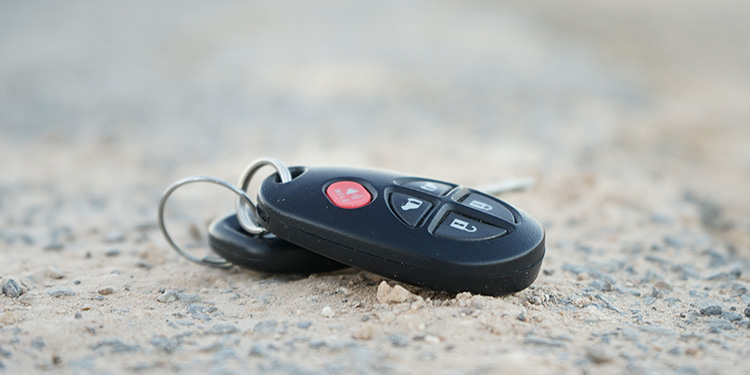
Losing your car key fob can be stressful and inconvenient, especially when you’re in a hurry or far from home. Fortunately, modern technology offers practical solutions to help you recover misplaced items quickly. Bluetooth trackers have become a reliable tool for locating lost belongings, including key fobs. This guide explains how to find lost key fob with bluetooth tracker and provides actionable steps, tips, and important considerations to make the process as smooth as possible.
Before diving into the details, it’s worth noting that key fobs are more than just remote controls for your car. They contain sensitive electronics and security features. If you’re interested in the technical side, you can learn more from this comprehensive overview of key fob technology.
For those who want to avoid the hassle of losing their fob in the future, consider reading about how to store spare key fob at home for added peace of mind.
Understanding Bluetooth Trackers for Key Fobs
Bluetooth trackers are small, battery-powered devices that attach to items you want to keep track of, such as wallets, bags, or car keys. When paired with a smartphone app, these trackers use low-energy Bluetooth signals to help you pinpoint the location of your lost item within a certain range, typically up to 200 feet. Some models also leverage community networks, allowing other users’ phones to help locate your lost fob if it’s out of your own Bluetooth range.
Popular brands like Tile, Chipolo, and Apple AirTag have made it easier than ever to keep tabs on your valuables. These trackers are especially useful for key fobs, which are small and easy to misplace.
Steps to Recover a Misplaced Key Fob Using a Bluetooth Tracker
To maximize your chances of finding your lost car remote, follow these steps:
- Attach the Tracker in Advance: Secure a Bluetooth tracker to your key fob as soon as you get one. This proactive step is crucial, as the tracker must be attached before the fob is lost.
- Install the Tracker App: Download the manufacturer’s app on your smartphone and pair it with your tracker. Set up notifications and familiarize yourself with the app’s features.
- Initiate a Search: When you realize your key fob is missing, open the app and check the last known location. If it’s within Bluetooth range, use the app to make the tracker ring or flash.
- Use the Map Feature: If the fob is out of range, the app will show its last detected location. Head to that spot and try to reconnect.
- Leverage Community Find: Some trackers allow other users’ phones to anonymously help locate your lost item. Enable this feature if available.
- Retrace Your Steps: While technology is helpful, don’t forget to physically search common areas where you might have dropped your keys—car seats, bags, pockets, or entryways.
Tips for Maximizing Bluetooth Tracker Effectiveness
While Bluetooth trackers are powerful tools, their effectiveness depends on a few key factors:
- Keep Batteries Fresh: Replace the tracker’s battery as recommended by the manufacturer. A dead battery renders the device useless.
- Enable App Permissions: Allow the tracker app to access your phone’s location and Bluetooth services at all times for real-time updates.
- Regularly Test the Tracker: Periodically check that your tracker is still paired and functioning. This ensures you’re prepared if you ever need to locate your fob.
- Choose a Durable Tracker: Select a tracker that’s water-resistant and sturdy enough to withstand daily use on a keychain.
- Register Your Device: Some brands offer extra features or warranty coverage if you register your tracker online.
Common Challenges When Locating a Key Fob With a Tracker
Although Bluetooth trackers are highly effective, there are situations where they may not provide an immediate solution:
- Out of Bluetooth Range: If your key fob is far from your phone, you’ll only see its last known location. Community find features can help, but may take time.
- Obstructed Signal: Thick walls, metal objects, or underground locations (such as basements or parking garages) can block Bluetooth signals.
- Dead Tracker Battery: If the tracker’s battery is depleted, it won’t be able to communicate with your phone.
- Unattached Tracker: If you haven’t attached a tracker before losing your fob, these methods won’t help. In such cases, you may need to contact a professional locksmith.

What to Do If You Can’t Recover Your Key Fob
If you’ve exhausted all options and still can’t find your key fob, don’t panic. Here are some next steps:
- Contact a Locksmith: A professional locksmith can help you gain access to your vehicle and provide a replacement fob if necessary. Make sure to choose a reputable service that follows licensed locksmith service transparency rules.
- Check Your Warranty or Insurance: Some car warranties or insurance policies may cover lost key fobs. Review your documents or contact your provider for details.
- Order a Replacement: If you need a new fob, your dealership or locksmith can program a replacement. Be prepared to show proof of ownership and identification.
Preventing Future Losses
While technology can help you recover lost items, prevention is always the best strategy. Here are some tips to avoid losing your key fob again:
- Designate a Spot: Always place your keys in the same location at home or work.
- Use a Bright Keychain: Attach a colorful or bulky keychain to make your fob more noticeable.
- Have a Backup: Store a spare key fob in a secure place. For guidance, see advice on how to store spare key fob at home.
- Regularly Check Your Tracker: Make sure your Bluetooth tracker is working and properly attached.
FAQ
Can I use a Bluetooth tracker to find my key fob if it’s completely out of range?
If your fob is out of Bluetooth range, most tracker apps will show its last known location. Some trackers offer a community find feature, which uses other users’ phones to help locate your item anonymously. However, this process may take longer and depends on the number of users in the area.
What should I do if my Bluetooth tracker’s battery is dead?
If the tracker’s battery is depleted, it won’t be able to communicate with your phone. Replace the battery as soon as possible and test the device regularly to avoid this issue in the future.
Are Bluetooth trackers secure for use with car key fobs?
Most reputable Bluetooth trackers use encrypted signals and do not store sensitive information. However, always choose a trusted brand and keep your tracker’s firmware updated to ensure maximum security.
Conclusion
Recovering a misplaced car remote is much easier with the help of Bluetooth tracking technology. By attaching a tracker to your fob, installing the appropriate app, and following best practices, you can quickly locate lost items and reduce stress. Remember to keep your tracker’s battery fresh, test its functionality regularly, and consider professional locksmith assistance if you’re unable to recover your fob. With a proactive approach, you’ll minimize the risk of future losses and keep your vehicle secure.


