If you’ve recently purchased a replacement remote or need to sync a new transmitter to your Subaru, understanding the subaru key fob programming mode is essential. Modern Subaru vehicles use electronic key fobs for convenience and security, but programming them can seem daunting if you’ve never done it before. This guide walks you through the process, highlights important considerations, and answers common questions so you can confidently program your Subaru remote.
Before you begin, it’s helpful to know that the procedure may vary slightly depending on your Subaru’s model year and the type of remote you have. If you’re unsure about your specific requirements, consulting your owner’s manual or a professional locksmith can save time and prevent frustration. For more information on locksmith service standards, you may also want to review the licensed locksmith service transparency rules to ensure you’re working with a trusted provider.
Understanding Subaru Remote Programming
Subaru vehicles typically use a keyless entry system that allows you to lock, unlock, and sometimes start your car remotely. The process for entering programming mode is designed to ensure only authorized remotes are paired with your vehicle. This not only enhances convenience but also helps maintain your car’s security.
The most common reasons for programming a new remote include replacing a lost or damaged fob, adding an extra remote for a new driver, or syncing a remote after battery replacement. While some Subaru models allow owners to program remotes themselves, others may require dealer or locksmith assistance.
How to Enter Subaru Key Fob Programming Mode
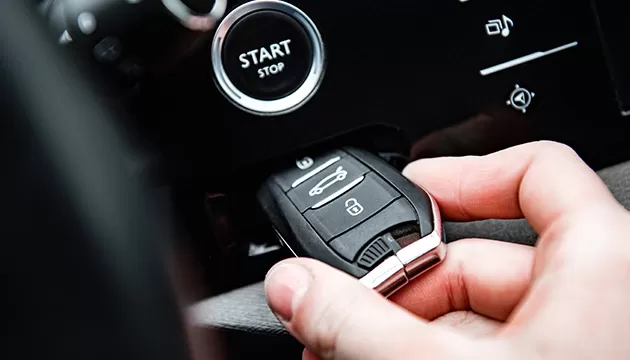
The steps below outline the general process for most Subaru models manufactured in the early 2000s through the mid-2010s. Always double-check your owner’s manual for specific instructions, as newer models with push-button start or proximity keys may require different procedures.
- Gather your remotes: Have all remotes you wish to program ready. Any remotes not included in the session may be erased from memory.
- Enter the vehicle: Sit in the driver’s seat and close all doors.
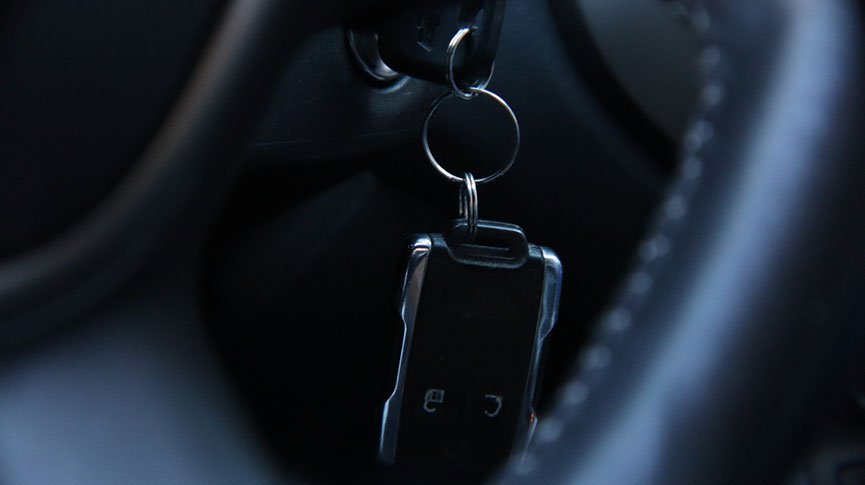
- Turn the ignition: Insert your key into the ignition and turn it from the “Off” position to “On” (do not start the engine) ten times within 15 seconds, ending in the “On” position. You should hear a chime or the door locks will cycle, indicating you’ve entered programming mode.
- Program the remote: Press any button on the first remote. The locks should cycle again to confirm successful pairing. Repeat for additional remotes.
- Exit programming mode: Turn the ignition to “Off” and remove the key. Test each remote to ensure proper function.
If your vehicle does not respond as described, or if you have a newer Subaru with a smart key system, you may need specialized equipment or dealer support.
Common Issues When Programming Subaru Remotes
Even when following instructions closely, you may encounter some challenges during the process. Here are a few common issues and troubleshooting tips:
- Remote not responding: Ensure the remote’s battery is fresh and properly installed. Weak batteries can prevent successful programming.
- Programming mode not activating: The ignition cycling step must be performed quickly and precisely. If you don’t hear a chime or see the locks cycle, try again, making sure to complete the steps within the required timeframe.
- Older or aftermarket remotes: Not all aftermarket remotes are compatible with every Subaru model. Always verify compatibility before purchasing or attempting to program.
- Lost all remotes: If you have no working remotes, you may need dealer or locksmith intervention to reset the system and add new ones.
If you’re unsure about your remote’s compatibility or if programming mode is inaccessible, a professional locksmith can help. For those interested in the broader context of automotive key technology, this comprehensive guide to car key types provides helpful background.
Tips for Successful Subaru Remote Pairing
To maximize your chances of a smooth experience, keep these best practices in mind:
- Read your manual: Subaru models can differ significantly by year and trim. The owner’s manual will specify the correct procedure for your vehicle.
- Prepare all remotes: Program all remotes in one session, as entering programming mode often erases previous pairings.
- Use quality batteries: Weak or old batteries can cause intermittent operation or failed programming attempts.
- Seek professional help if needed: If you’re unable to complete the process, a locksmith or dealer can assist. For those dealing with insurance claims related to lost keys, resources like the licensed locksmith insurance claim assistance guide can be valuable.

When to Contact a Professional for Subaru Remote Programming
While many Subaru owners can complete remote pairing at home, certain situations call for expert assistance:
- All remotes lost or stolen and you have no working transmitter to start the process.
- Smart key or push-button start systems that require dealer-grade equipment for programming.
- Repeated failed attempts that may indicate a deeper issue with your vehicle’s receiver or electrical system.
- Aftermarket alarm or remote start systems that complicate the standard process.
In these cases, a qualified locksmith or Subaru dealer can ensure your vehicle’s security and restore full remote functionality. For those considering a career in this field, resources like the licensed locksmith franchise opportunities guide offer insight into the profession.
Frequently Asked Questions
Can I program a Subaru remote myself, or do I need a dealer?
Many Subaru models from the early 2000s to mid-2010s allow owners to program remotes at home using the ignition cycling method. However, newer models with smart keys or push-button start often require dealer or locksmith tools for pairing.
How many remotes can I program to my Subaru?
Most Subaru vehicles can store up to four remotes in memory at once. All remotes must be programmed in the same session, as entering programming mode typically erases previous pairings.
What should I do if programming mode doesn’t activate?
Double-check that you’re cycling the ignition quickly enough and ending on the “On” position. If the locks don’t cycle or you don’t hear a chime, try again. If the issue persists, your vehicle may require professional attention or a different procedure.
Will programming a new remote erase my old ones?
Yes, in most cases, entering programming mode will remove all previously paired remotes. Be sure to have all remotes you want to use present during the session.
Are aftermarket remotes safe to use?
Aftermarket remotes can be a cost-effective option, but compatibility is not guaranteed. Always verify that the remote is designed for your specific Subaru model and year before purchasing.
For more tips on emergency preparedness and key management, see the licensed locksmith emergency preparedness guide.