


Learning how to program a Ford key fob can save you time and money, whether you’ve purchased a replacement remote or need to add a new one for convenience. Many Ford vehicles allow owners to program key fobs themselves, using a straightforward process that requires no special tools. This guide will walk you through each step, explain what you need, and highlight important considerations to ensure your remote works seamlessly with your car.
Before diving in, it’s important to note that procedures can vary depending on your Ford model and year. Always consult your owner’s manual for specific instructions, and if you encounter issues, consider seeking help from a professional. For more details on locksmith transparency and what to expect when working with certified professionals, check out the licensed locksmith service transparency rules.
Understanding Ford Key Fob Programming Basics
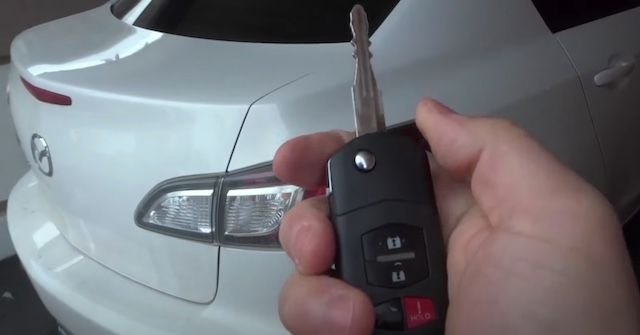
Ford key fobs, also known as remote transmitters, allow you to lock, unlock, and sometimes start your vehicle remotely. Most modern Fords use a keyless entry system that can be programmed at home if you have at least one working key. However, some newer models with advanced security features may require dealer or locksmith assistance.
The basic programming process involves entering your vehicle, using the ignition, and pressing specific buttons in a sequence. This puts your car into programming mode, allowing the new remote to sync with the onboard computer.
What You’ll Need Before You Start
- Your Ford vehicle and all key fobs you wish to program (including any existing ones).
- At least one working ignition key (for most models).
- Your vehicle’s owner’s manual for model-specific instructions.
- Patience and a quiet environment to avoid distractions during the process.
Step-By-Step Guide: Programming a Ford Key Fob
The following instructions cover the most common Ford models from the early 2000s to recent years. If your model is not compatible with self-programming, you may need to contact a locksmith or dealership.
- Enter the Vehicle: Sit in the driver’s seat with all doors closed. Insert your key into the ignition.
- Cycle the Ignition: Turn the key from the “Off” position to “Run” (do not start the engine) eight times within 10 seconds, ending in “Run.” The door locks should cycle, indicating the car is in programming mode.
- Press a Button on the Remote: Within 20 seconds, press any button on the new key fob. The locks will cycle again to confirm successful programming.
- Program Additional Remotes: If you have more remotes, press a button on each within 20 seconds. The locks will cycle each time.
- Exit Programming Mode: Turn the ignition to “Off.” The locks should cycle one last time, confirming the process is complete.
- Test All Remotes: Step outside and test each key fob to ensure they function correctly.
Troubleshooting Common Issues
If your remote doesn’t work after following the steps, consider these troubleshooting tips:
- Check the Battery: Ensure the key fob’s battery is fresh and correctly installed.
- Repeat the Process: Sometimes, timing issues can cause programming to fail. Try the sequence again, ensuring each step is completed promptly.
- Model Limitations: Some Ford vehicles, especially those with push-button start or advanced security, may not support DIY programming. In these cases, professional help is required.
- Remote Compatibility: Make sure your new remote is compatible with your vehicle’s make, model, and year.
When to Contact a Professional Locksmith
If you’re unable to program your remote, or if your vehicle requires specialized equipment, a certified locksmith can help. Professionals have access to advanced tools and software for programming even the latest Ford models. For more information on what locksmiths can do for your vehicle and how to ensure you’re working with a reputable provider, you can review the licensed locksmith insurance claim assistance guide.
In situations where all keys are lost, or if your vehicle’s security system has been compromised, a locksmith can also reprogram your car’s immobilizer and provide new remotes.
Tips for Keeping Your Ford Key Fob Secure
- Store Spare Remotes Safely: Keep backup remotes in a secure location to avoid losing all access to your vehicle.
- Replace Batteries Regularly: Weak batteries can cause intermittent issues with remote operation.
- Be Cautious with Online Purchases: Only buy remotes from trusted sources to ensure compatibility and avoid counterfeit products.
- Consider Professional Help for Advanced Models: For newer vehicles with proximity sensors or push-button start, professional programming is often necessary.
Additional Resources on Car Key Programming
For a comprehensive overview of car key types, security features, and programming methods, you may find the definitive guide to car keys and programming helpful. This resource covers everything from traditional keys to modern smart remotes, helping you understand your options and what to expect from locksmith services.
Frequently Asked Questions
Can I program a Ford key fob without the original remote?
In most cases, you need at least one working key or remote to program a new one yourself. If all remotes are lost, professional equipment is usually required to access your vehicle’s programming mode.
How do I know if my Ford supports self-programming?
Most Ford vehicles from the early 2000s to mid-2010s allow owners to program remotes at home. However, newer models with advanced security systems may require dealer or locksmith assistance. Always check your owner’s manual for specific instructions.
What should I do if my key fob still doesn’t work after programming?
Double-check the battery, repeat the programming steps, and ensure your remote is compatible with your vehicle. If issues persist, consult a certified locksmith or your local Ford dealer for further assistance.


