


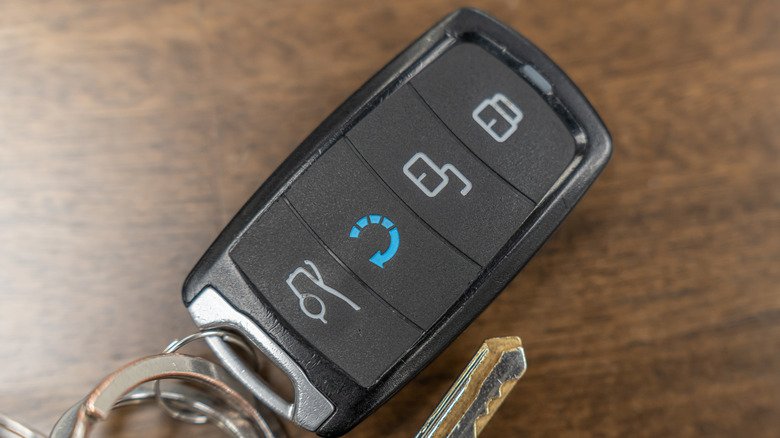
Modern car owners rely on their key fobs for everyday convenience, from unlocking doors to starting the engine remotely. However, when the battery in your remote starts to weaken, you may notice reduced range or inconsistent performance. Learning how to extend key fob battery life can help you avoid unexpected lockouts and save on replacement costs. This guide covers practical strategies to maximize the lifespan of your key fob’s battery, common pitfalls to avoid, and maintenance tips to keep your remote functioning reliably.
If you’re interested in broader security topics, you may also find value in reading about licensed locksmith service transparency rules, which can help you make informed decisions about your vehicle’s security and professional locksmith services.
Understanding Key Fob Battery Drain
Before diving into ways to prolong your remote’s battery, it’s helpful to understand what causes battery drain in the first place. Key fobs use small coin-cell batteries, typically CR2032 or similar, to power their radio transmitters and onboard electronics. These batteries are designed to last for years, but several factors can shorten their lifespan:
- Frequent use: The more you use your remote, especially for functions like remote start or trunk release, the faster the battery drains.
- Proximity to vehicle: Some remotes communicate continuously with your car when nearby, increasing power consumption.
- Environmental conditions: Extreme temperatures, humidity, and moisture can degrade battery performance.
- Accidental button presses: Carrying your fob in a pocket or bag where buttons are pressed unintentionally can cause constant signal transmission.
- Battery age: Even unused batteries lose charge over time due to natural self-discharge.
Best Practices for Prolonging Remote Battery Life
Adopting a few simple habits can make a significant difference in how long your key fob battery lasts. Here are some proven techniques to help you get the most out of your remote:
Minimize Unnecessary Button Presses
One of the most effective ways to maximize your key fob’s battery life is to avoid pressing buttons unless necessary. Try not to fidget with your remote or press buttons repeatedly when unlocking or locking your vehicle. If you carry your fob in a pocket or bag, consider using a protective case or placing it in a compartment where buttons won’t be pressed accidentally.
Store Your Remote Away from the Car
Many modern vehicles use passive entry systems, which keep the car and remote in constant communication when they’re close together. If you store your key fob near your vehicle—such as on a hook by the garage door or in a carport—the battery may drain faster. To improve remote battery longevity, keep your fob at least several meters away from your car when not in use.
Protect Against Extreme Temperatures
Batteries are sensitive to temperature extremes. Leaving your remote in a hot car or exposing it to freezing conditions can reduce battery capacity and shorten its life. Store your remote in a cool, dry place when possible, and avoid leaving it in direct sunlight or in vehicles during extreme weather.
Routine Maintenance and Battery Replacement Tips
Even with the best care, every battery will eventually need replacing. Here’s how to ensure your remote continues to work reliably:
- Replace proactively: If you notice reduced range or inconsistent performance, replace the battery before it fails completely.
- Use quality batteries: Choose reputable brands for replacement batteries to ensure consistent voltage and longer life.
- Clean contacts: When changing the battery, use a dry cloth to clean the battery contacts inside the fob. Dirt or corrosion can interfere with power delivery.
- Check for moisture: If your remote has gotten wet, open it up and let it dry completely before inserting a new battery.

Additional Tips for Key Fob Care
In addition to battery management, taking care of your remote as a whole will help it last longer and perform more reliably. Here are some extra suggestions:
- Avoid dropping: Physical shocks can damage internal circuits and battery connections.
- Keep it dry: Moisture can cause corrosion and short circuits. If your fob is exposed to water, dry it out immediately.
- Use a protective cover: Silicone or leather covers can shield your remote from impacts and accidental button presses.
- Know your key type: Some remotes have built-in rechargeable batteries or unique designs. For more information on different car key types, see this guide to car key varieties.
When to Seek Professional Help
If your key fob continues to have issues even after replacing the battery, it may be time to consult a professional. Problems such as signal interference, damaged circuitry, or programming errors can prevent your remote from working correctly. A certified locksmith can diagnose and repair these issues, ensuring your remote is secure and functional. For those interested in emergency preparedness, you might also explore the licensed locksmith emergency preparedness guide for tips on handling lockouts and other urgent situations.
Frequently Asked Questions
How often should I replace my key fob battery?
Most key fob batteries last between 2 and 4 years, depending on usage and environmental factors. If you notice a decrease in range or inconsistent operation, it’s a good idea to replace the battery proactively.
Can I use any brand of battery for my remote?
It’s best to use high-quality, reputable brands that match the specifications listed in your vehicle’s manual. Low-quality batteries may have shorter lifespans or inconsistent voltage, affecting your remote’s reliability.
What should I do if my key fob stops working after a battery change?
Double-check that the new battery is installed correctly, with the positive and negative sides aligned as indicated. If the remote still doesn’t work, inspect for corrosion or debris on the contacts, and ensure the battery is fresh. If problems persist, consult a locksmith or your vehicle’s dealership for further assistance.
Conclusion
By following these straightforward tips, you can extend the battery life of your car remote and avoid the inconvenience of a dead fob. Regular maintenance, mindful storage, and prompt battery replacement will keep your remote functioning reliably. If you ever need expert help, don’t hesitate to reach out to a trusted locksmith for support.


