A weak key fob signal can be frustrating, especially when you’re in a hurry and your car doesn’t respond as expected. Modern vehicles rely on wireless technology for locking, unlocking, and even starting the engine, making a reliable remote signal essential for convenience and security. If you’ve noticed your remote range shrinking or your car not responding consistently, you’re not alone. Many drivers encounter this issue, but there are practical steps you can take to diagnose and resolve it.
This guide will walk you through the most common causes of diminished keyless entry performance, how to troubleshoot them, and what actions to take to restore your remote’s reliability. We’ll also touch on related topics, such as what frequency do key fobs use and why understanding your fob’s technology can help you avoid future headaches.
Recognizing the Signs of a Failing Remote Signal
Before diving into solutions, it’s important to recognize the symptoms of a weak key fob signal. Common signs include:
- Reduced range—needing to stand closer to your vehicle for the fob to work
- Intermittent response or delayed unlocking/locking
- Multiple button presses required for a single action
- Complete failure to communicate with the car
If you’re experiencing any of these issues, it’s time to start troubleshooting. Understanding the underlying technology—such as whether your fob uses Bluetooth, RFID, or another wireless protocol—can provide valuable context. For more on this, see does a key fob use bluetooth.
Common Causes of Reduced Key Fob Range
Several factors can contribute to a diminished remote signal. Identifying the root cause is the first step toward a solution. Here are the most frequent culprits:
- Battery Depletion: The most common reason for a key fob’s weak signal is a dying battery. Even if the fob still works occasionally, a low battery can drastically reduce its effective range.
- Physical Obstructions: Metal objects, electronic interference, or even your own body can block or weaken the signal between your fob and the car.
- Electronic Interference: Devices such as Wi-Fi routers, cell phones, and other wireless gadgets can disrupt the radio frequency your fob uses.
- Damaged Fob or Antenna: Internal damage to the remote or the car’s receiver antenna can cause communication problems.
- Environmental Factors: Weather conditions, especially extreme cold or moisture, can impact electronic performance.
Step-by-Step Solutions for a Weak Key Fob Signal
1. Replace the Battery
The simplest fix is often the most effective. Most key fobs use small coin-cell batteries that are easy to replace. Consult your owner’s manual for the correct battery type and replacement procedure. For more detailed information about power sources, see do key fobs use batteries.
- Open the fob’s case using a small screwdriver or coin.
- Remove the old battery, noting its orientation.
- Insert the new battery and reassemble the fob.
- Test the remote’s range and responsiveness.
2. Minimize Interference and Obstructions
Try using your remote away from other electronic devices and large metal objects. If your fob works better in open spaces, interference could be the issue. Avoid storing your fob near cell phones or wireless routers.
3. Check for Physical Damage
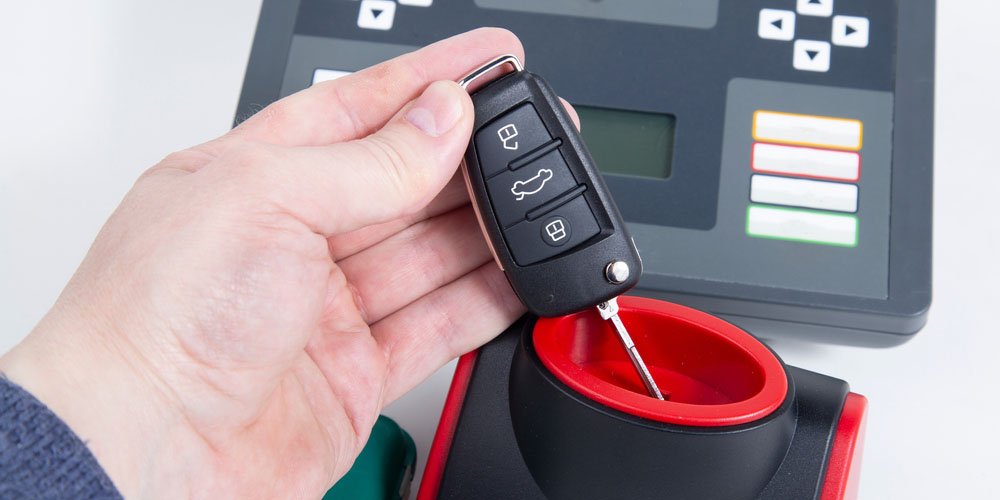
Inspect your remote for cracks, water damage, or worn buttons. Even minor damage can affect the internal circuitry and reduce signal strength. If you suspect your fob is damaged, consider having it inspected or replaced by a professional locksmith.
4. Test the Vehicle’s Receiver
If replacing the battery and minimizing interference don’t help, the problem might be with your car’s receiver antenna. Some vehicles have antennas located in the door, dashboard, or trunk area. If other remotes also fail to work, consult your dealership or a qualified technician.
5. Reprogram or Replace the Remote
In rare cases, your fob may lose synchronization with your vehicle. Reprogramming procedures vary by make and model, so check your owner’s manual or contact a locksmith for assistance. If reprogramming fails, a replacement remote may be necessary.
Understanding Key Fob Technology and Signal Strength
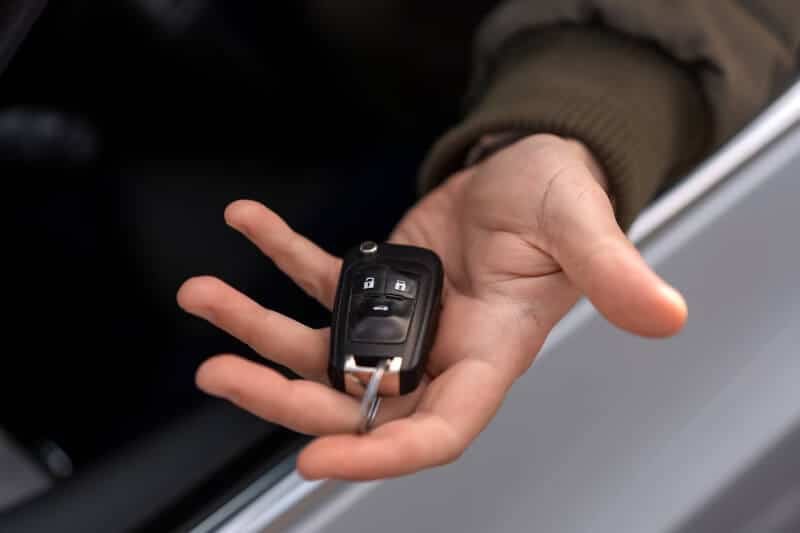
Most remotes operate on specific radio frequencies, which can vary by region and vehicle manufacturer. Knowing what frequency do key fobs use can help you identify sources of interference and choose the right replacement parts. Some newer vehicles use smart keys or push-to-start systems, which may have different troubleshooting steps. For more on these differences, see key fob vs smart key and what is a push to start system.
For a comprehensive overview of car key technology and troubleshooting, you may find the definitive guide to car keys helpful.
When to Seek Professional Help
If you’ve tried all the above steps and your remote still isn’t working reliably, it may be time to consult a locksmith or your vehicle’s dealership. Professionals can test your fob with specialized equipment, diagnose receiver issues, and provide replacement remotes or reprogramming services. Prompt attention can prevent you from getting locked out or stranded.
Preventing Future Key Fob Signal Issues
- Replace your remote’s battery annually or at the first sign of reduced range.
- Keep your fob dry and avoid dropping it.
- Store your remote away from strong magnets and electronic devices.
- Have a spare remote programmed and ready in case of emergencies.
FAQ
How do I know if my key fob battery is low?
Signs of a low battery include reduced range, delayed response, and needing to press buttons multiple times. Some vehicles display a warning message when the battery is nearly depleted.
Can I use my key fob if the signal is too weak to unlock the car?
Many vehicles have a hidden mechanical key inside the remote for manual unlocking. Check your owner’s manual for instructions on accessing and using this backup key.
Will replacing the battery always fix a weak key fob signal?
While a fresh battery resolves most issues, other factors like interference, physical damage, or receiver problems can also cause weak performance. If a new battery doesn’t help, further troubleshooting is recommended.