


Modern car owners rely on the convenience of remote entry and push-button start, making a functioning key fob essential for daily use. If your Kia remote has become unresponsive or only works intermittently, the most common cause is a depleted battery. Learning how to change the battery in your Kia key fob can save you time, money, and the hassle of being locked out or stranded.
This article provides a step-by-step overview of the process, including which tools you’ll need, how to identify the correct battery, and tips for safe handling. Along the way, you’ll also find guidance on when to seek professional help and how to ensure your replacement is performed safely and effectively. For those interested in broader security and service topics, you can also review the licensed locksmith service transparency rules to better understand what to expect when working with a professional.
Recognizing When Your Kia Key Fob Battery Needs Replacement
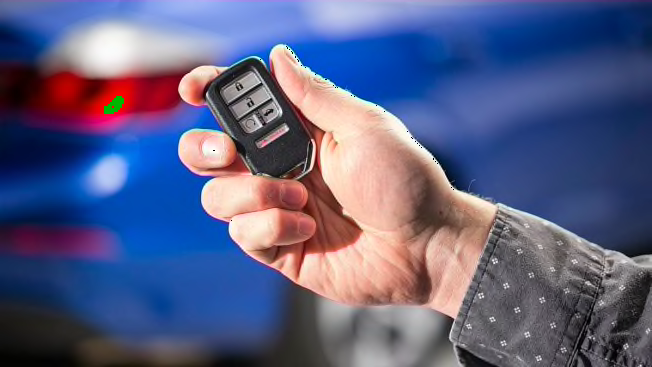
The first sign of a weak or failing battery is a noticeable decrease in your key fob’s range. If you find yourself needing to stand closer to your vehicle or repeatedly pressing buttons to unlock doors, it’s likely time for a new battery. Other symptoms include delayed response, intermittent operation, or a warning light on your dashboard indicating a low key fob battery.
Addressing these issues promptly helps prevent unexpected lockouts and ensures your vehicle’s security features remain operational.
Essential Tools and Supplies for Changing the Battery
Before beginning the process, gather the following items:
- Replacement battery (most Kia remotes use a CR2032 or CR2025 coin cell, but check your owner’s manual or the old battery for confirmation)
- Small flathead screwdriver or a plastic pry tool
- Clean, dry workspace
- Optional: Gloves to avoid transferring oils onto the new battery
Step-by-Step Instructions for Kia Key Fob Battery Replacement
Follow these steps to ensure a smooth and safe battery swap:
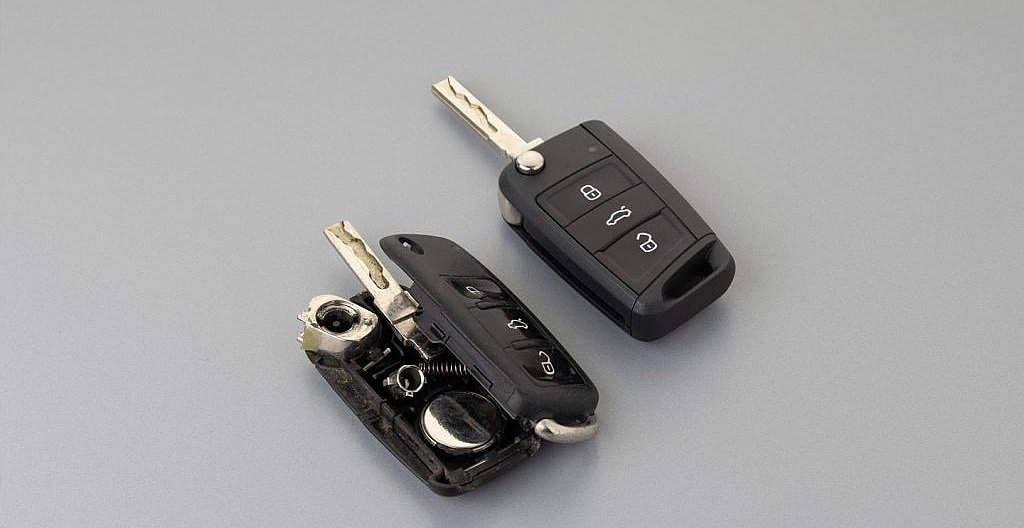
- Open the key fob: Locate the seam where the two halves of the remote meet. Insert the flathead screwdriver or pry tool into the notch and gently twist to separate the casing. Be careful not to use excessive force to avoid damaging the plastic.
- Remove the old battery: Once open, identify the battery and note its orientation (positive and negative sides). Carefully lift the battery out using your tool or fingernail.
- Insert the new battery: Place the new coin cell in the same orientation as the old one. Press it gently into place, ensuring it sits flat and secure.
- Reassemble the key fob: Align the two halves of the case and press them together until they snap securely. Test all buttons to confirm proper operation.
Tips for Safe and Effective Battery Replacement
Handling small electronic components requires care. Here are some best practices:
- Avoid touching the new battery’s surfaces with your bare fingers, as oils can reduce its lifespan.
- Keep track of small parts such as buttons or springs that may come loose during disassembly.
- Dispose of the old battery properly at a recycling center or electronics store.
- Test the fob before reassembling completely to ensure the battery is making good contact.
Common Kia Remote Models and Battery Types
Kia uses several different remote designs across its vehicle lineup. Most models from the last decade use a coin cell battery, typically the CR2032 or CR2025. However, some older or specialty models may require a different type. Always check your owner’s manual or the existing battery before purchasing a replacement.
When to Seek Professional Assistance
While most drivers can replace a Kia remote battery at home, there are situations where professional help is recommended. If your fob does not work after changing the battery, or if you notice physical damage to the circuit board or buttons, contact a qualified locksmith or your local dealership. For information on insurance and documentation, you may find the licensed locksmith insurance claim assistance guide helpful.
Additionally, if your vehicle uses a proximity or smart key system, reprogramming may be required after battery replacement. In these cases, a professional can ensure your remote is functioning securely and reliably.
Understanding Key Fob Security and Maintenance
Regular maintenance of your vehicle’s remote not only ensures convenience but also supports security. A fully functional key fob is critical for modern access control systems. For those interested in the broader technology behind remote entry, this comprehensive overview of key fob access control explains how these devices communicate with your vehicle and why battery health is so important.
To prolong the life of your remote:
- Store it in a dry, cool place away from direct sunlight
- Avoid dropping or exposing it to moisture
- Replace the battery as soon as you notice decreased performance
Frequently Asked Questions
How often should I change the battery in my Kia remote?
Most batteries last between 2–4 years, depending on usage. If you notice reduced range or intermittent operation, it’s best to replace the battery promptly to avoid lockouts.
Can I use any coin cell battery for my Kia key fob?
No, always use the exact battery type specified for your remote, typically CR2032 or CR2025. Using the wrong type can damage the fob or cause it to malfunction.
What should I do if my remote still doesn’t work after replacing the battery?
Double-check the battery orientation and ensure the contacts are clean. If problems persist, consult a professional locksmith or your dealership, as the issue may be with the fob’s circuitry or programming.
Is it safe to change the battery myself?
Yes, as long as you follow the steps carefully and use the correct tools. Take care not to damage the casing or electronics, and dispose of old batteries responsibly.
Keeping your Kia remote in top condition is a simple yet important part of vehicle ownership. With the right battery and a little care, you can ensure reliable access and peace of mind every time you drive.


