Modern vehicles rely on remote entry systems, making key fobs an essential part of daily life. When the battery in your remote starts to fail, you might notice reduced range, inconsistent unlocking, or even a complete lack of response. Learning how to replace a key fob battery is a straightforward task that can save you time, money, and frustration.
This guide will walk you through the process of changing the battery in your remote safely and efficiently. Along the way, you’ll find practical tips, answers to common questions, and links to related topics like do key fobs use batteries and what frequency do key fobs use to deepen your understanding of how these devices work.
Recognizing When Your Key Fob Battery Needs Replacement
The first step in maintaining your remote is knowing when the battery is running low. Common signs include:
- Reduced range or delayed response when pressing buttons
- Intermittent operation or the need to press buttons multiple times
- No response at all from the vehicle
- Warning messages on your dashboard (in some newer cars)
If you notice any of these issues, it’s a good idea to replace the battery before you get locked out or stranded. For more on how these devices communicate, see what frequency do key fobs use.
Preparing to Change the Battery in Your Remote
Before you begin, gather the necessary tools and information. Most key fobs use a small coin-cell battery, such as a CR2032 or CR2025. Check your owner’s manual or look up your vehicle model online to confirm the right battery type.
You will typically need:
- A replacement battery (correct type for your fob)
- A small flat-head screwdriver or a plastic pry tool
- A clean, flat surface to work on
Make sure your hands are clean and dry to avoid damaging sensitive electronics inside the remote.
Step-by-Step Instructions for Replacing a Key Fob Battery
Follow these steps to safely and quickly swap out the old battery:
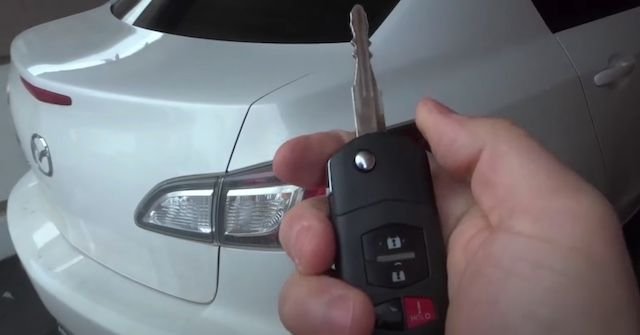
- Open the Key Fob: Most remotes have a seam along the edge. Gently insert the flat-head screwdriver or pry tool into the seam and twist to separate the two halves. Some models have a small notch specifically for this purpose.
- Remove the Old Battery: Take note of how the battery is positioned (positive and negative sides). Carefully lift the battery out. Avoid touching the contacts with your fingers.
- Insert the New Battery: Place the new battery in the same orientation as the old one. Press it down gently until it clicks into place.
- Reassemble the Remote: Align the two halves and press them together until they snap shut. Make sure there are no gaps.
- Test the Key Fob: Stand near your vehicle and press the buttons to ensure everything works as expected.
Tips for Safe and Efficient Battery Replacement
While the process is generally simple, keeping these tips in mind will help you avoid common mistakes:
- Work Gently: Avoid using excessive force when prying open the fob, as this can crack the plastic.
- Keep Track of Small Parts: Some remotes contain tiny springs or buttons that can fall out when opened. Work over a tray or towel to catch any loose pieces.
- Check for Corrosion: If you see white or green residue inside, clean it carefully with a cotton swab and a small amount of rubbing alcohol.
- Dispose of Old Batteries Properly: Coin-cell batteries should not be thrown in the trash. Recycle them at a designated drop-off location.
Understanding Different Types of Key Fobs and Batteries
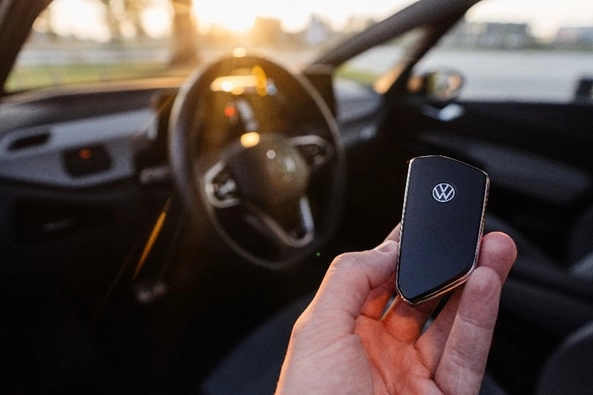
Not all remotes are the same. Some vehicles use smart keys, proximity remotes, or traditional fobs. The battery replacement process is similar, but the type of battery and the method for opening the device may vary. For a detailed look at the differences between remote types, see key fob vs smart key.
If you’re unsure about your specific model, consult your vehicle’s manual or visit the manufacturer’s website. You can also reference this guide to different types of car keys for more information.
What to Do If Your Remote Still Doesn’t Work
If you’ve followed the steps above and your remote is still not functioning, consider these troubleshooting steps:
- Double-check that the battery is installed correctly and making good contact
- Inspect the battery for defects or low charge (try a second new battery if possible)
- Look for broken or corroded contacts inside the fob
- Ensure the remote is properly reassembled with no loose parts
If problems persist, the remote may need reprogramming or professional repair. Some advanced systems require syncing with the vehicle after battery replacement. For more on how these systems work, see what is a push to start system.
Frequently Asked Questions
How often should I change my key fob battery?
Most coin-cell batteries last 2–4 years, depending on usage and environmental factors. If you notice reduced range or inconsistent operation, replace the battery promptly to avoid being locked out.
Can I use any coin battery for my remote?
No, you should use the exact battery type specified for your remote. Using the wrong size or voltage can damage the electronics or cause the device to malfunction.
Will I need to reprogram my remote after changing the battery?
In most cases, replacing the battery does not require reprogramming. However, some vehicles with advanced security features may need the remote to be synced again. Consult your owner’s manual or contact a professional if you’re unsure.
Is it safe to replace the battery myself?
Yes, as long as you follow the steps carefully and handle the components gently, it is safe to replace the battery yourself. If you encounter any issues or feel uncomfortable, a locksmith or dealership can assist you.
For more information on the power sources used in remotes, visit do key fobs use batteries.